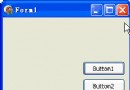
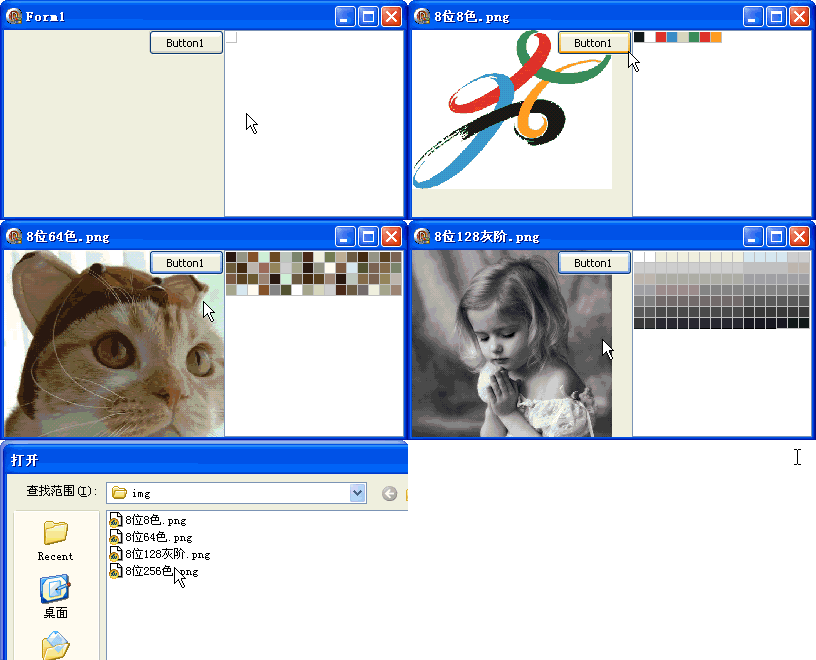
演示如何使用 TGPImage.GetPalette 讀取圖像內建調色板,並以 TDrawGrid 可視化顯示所有調色板顏色。
GetPaletteSize 取得調色板記憶體大小GetMem 配置緩衝區GetPalette 讀取調色板資料PColorPalette 結構:Count + Entries[]TDrawGrid 格狀顯示顏色色塊FreeMem 釋放緩衝區procedure TForm1.Button1Click(Sender: TObject);
var Palette: PColorPalette; ColorNum: Integer; Colors: PGPColor; i: Integer;
begin
{ 開啟圖片 }
img.Free; img := TGPImage.Create(OpenDialog1.FileName);
{ 讀取調色板 }
GetMem(Palette, img.GetPaletteSize);
img.GetPalette(Palette, img.GetPaletteSize);
if Palette^.Count = 0 then begin ShowMessage('此圖片沒有調色板'); Exit; end;
ColorNum := Palette^.Count;
Colors := @Palette.Entries; { 顏色陣列指標 }
{ 配置 DrawGrid 顯示 }
if ColorNum < 16 then DrawGrid1.ColCount := ColorNum else begin DrawGrid1.ColCount := 16; DrawGrid1.RowCount := ColorNum div 16; end;
DrawGrid1.Refresh;
for i := 0 to ColorNum - 1 do
begin
DrawGrid1.Canvas.Brush.Color := ARGBToColorRef(Colors^);
DrawGrid1.Canvas.FillRect(DrawGrid1.CellRect(i mod 16, i div 16));
Inc(Colors); { 指標移至下一顏色 }
end;
FreeMem(Palette);
end;
{ 簡化版 }
ColorPalette = record
  Flags: Integer;
  Count: Integer;
  Entries: array[0..0] of ARGB; { 實際大小由 Count 決定 }
end;
PColorPalette = ^ColorPalette;

{ ARGB = 32 位無符號整數:Alpha(8) | Red(8) | Green(8) | Blue(8) }
掌握 GetPalette 低級 API,能處理現代高級 API 難以觸及的索引色圖像細節需求。