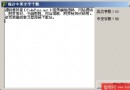
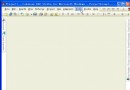
展示檔名、選取寫入列表框、依編輯框萬用字元查找。核心元件:
| 元件 | 關鍵屬性/連結 |
|---|---|
| FileEdit | TabOrder=0,顯示當前檔案/輸入比對字串 |
| FileListBox1 | FileEdit=FileEdit,顯示目錄檔案 |
| DirectoryListBox1 | DirLabel=DirLabel, FileList=FileListBox1 |
| DriveComboBox1 | DirList=DirectoryListBox1 |
| FilterComboBox1 | FileList=FileListBox1, Filter=預設/原始碼/表單/專案 |
| ListBox1 | 顯示選取/搜尋結果 |
| Button1 | Caption='查找',觸發搜尋 |
| Button2 | Caption='退出' |
元件間連結屬性設定即可實現聯動,無需代碼。
procedure TFileCtrForm.FileListBox1Click(Sender: TObject);
begin
  if Searched then begin Searched := False; ListBox1.Items.Clear; Label5.Caption := 'Selected Files'; end;
  if NotInList(ExtractFileName(FileListBox1.FileName), ListBox1.Items) then
    ListBox1.Items.Add(ExtractFileName(FileListBox1.FileName));
end;

function TFileCtrForm.NotInList(FileName: String; Items: TStrings): Boolean;
var i: Integer;
begin
  for i := 0 to Items.Count-1 do
    if Items[i] = FileName then begin Result := False; Exit; end;
  Result := True;
end;
Searched 全域旗標區分「選取」與「搜尋」模式。
procedure TFileCtrForm.FileEditKeyPress(Sender: TObject; var Key: Char);
begin
  if Key = #13 then begin FileListBox1.ApplyFilePath(FileEdit.Text); Key := #0; end;
end;
ApplyFilePath 為關鍵方法。
procedure TFileCtrForm.Button1Click(Sender: TObject);
var i: Integer; SearchRec: TSearchRec;
begin
  Searched := True; Label5.Caption := 'Search Result'; ListBox1.Items.Clear;
  FindFirst(FileEdit.Text, faAnyFile, SearchRec);
  ListBox1.Items.Add(SearchRec.Name);
  repeat
    i := FindNext(SearchRec);
    if i = 0 then ListBox1.Items.Add(SearchRec.Name);
  until i <> 0;
end;
TSearchRec = record
Fill: array[1..21] of Byte;
Attr: Byte; // 屬性位元
Time: Longint; // 時間戳
Size: Longint; // 檔案大小
Name: string[12]; // 檔名
end;衍生工具函數:
GetFileSize:FindFirst 成功回傳 SearchRec.SizeGetFileTime:回傳 SearchRec.Time(等同 FileAge)(SearchRec.Attr and GivenAttr) > 0屬性常數:faReadOnly=$01/faHidden=$02/faSysFile=$04/faVolumeID=$08/faDirectory=$10/faArchive=$20/faAnyFile=$3F。