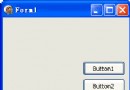
TRadioButton(單選鈕)與 TCheckBox(核取方塊)同屬布林狀態輸入元件,核心差異在於互斥性:同一容器(表單、GroupBox、RadioGroup)內的 RadioButton 同一時間僅能選中一個;CheckBox 則可獨立多選、全不選。
Checked: Boolean 屬性,True 表示選中在 Memo 編輯器基礎上,加入三組 RadioButton 控制顏色、三個 CheckBox 控制樣式:
Checked = TrueFalseprocedure TForm1.RadioButton1Click(Sender: TObject);
begin
if RadioButton1.Checked then Memo1.Font.Color := clRed;
end;
procedure TForm1.RadioButton2Click(Sender: TObject);
begin
if RadioButton2.Checked then Memo1.Font.Color := clBlue;
end;
procedure TForm1.RadioButton3Click(Sender: TObject);
begin
if RadioButton3.Checked then Memo1.Font.Color := clGreen;
end;注意:RadioButton 互斥由 VCL 自動處理,點擊任一按鈕會自動取消同容器內其他按鈕的 Checked,故只需在各自事件中檢查 Checked = True 即可。
procedure TForm1.CheckBox1Click(Sender: TObject);  // 粗體
begin
  if CheckBox1.Checked then
    Memo1.Font.Style := Memo1.Font.Style + [fsBold]
  else
    Memo1.Font.Style := Memo1.Font.Style - [fsBold];
end;

procedure TForm1.CheckBox2Click(Sender: TObject);  // 斜體
begin
  if CheckBox2.Checked then
    Memo1.Font.Style := Memo1.Font.Style + [fsItalic]
  else
    Memo1.Font.Style := Memo1.Font.Style - [fsItalic];
end;

procedure TForm1.CheckBox3Click(Sender: TObject);  // 底線
begin
  if CheckBox3.Checked then
    Memo1.Font.Style := Memo1.Font.Style + [fsUnderline]
  else
    Memo1.Font.Style := Memo1.Font.Style - [fsUnderline];
end;| 特性 | RadioButton (單選鈕) | CheckBox (核取方塊) |
|---|---|---|
| 互斥性 | 同容器內自動互斥 | 完全獨立,可多選 |
| 適用場景 | 單一選項:顏色、性別、付款方式 | 多重選項:功能開關、興趣標籤、權限勾選 |
| 容器管理 | 建議放入 GroupBox 或 RadioGroup | 可獨立放置或群組 |
| 程式碼模式 | 各自 OnClick 檢查 Checked | 各自 OnClick 用集合加減操作 |
TRadioGroup(內建 Items/ItemIndex,程式碼更簡潔)TRadioButton + TGroupBox完整專案原始碼整合 Memo 編輯器、剪貼簿、檔案操作、字型顏色/樣式控制,展示標準對話框元件協作開發完整表單應用的典型架構。