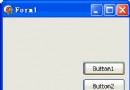
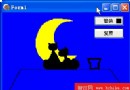
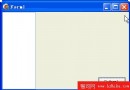
Win98 顯示屬性「螢幕保護程式」頁籤提供預覽功能:傳遞命令列參數 screensaver.exe /p<HWND>,其中 <HWND> 為預覽視窗控制代碼(10 進位)。支援預覽的螢幕保護程式會將自身視窗建立為該預覽視窗的子視窗,實現嵌入式預覽。此機制打破「同時間只能運行一個螢幕保護程式」限制,使多程式同時預覽成為可能。
視窗採「倒品字」三區佈局:
TFileListBox(Mask=*.scr、Directory=GetSystemDirectory)列出系統螢幕保護程式TListBox 顯示目前預覽中的程式(含視窗標題與控制代碼)TPanel(Align=alClient)作為預覽容器視窗啟動預覽(FileListBox 雙擊):
procedure TForm1.FileListBox1DblClick(Sender: TObject);
begin
  WinExec(PChar(FileListBox1.FileName + ' /p' + IntToStr(Panel2.Handle)), SW_SHOW);
  FreshList; // 更新預覽清單
end;
列舉子視窗更新預覽清單:
function EnumProc(h: HWND; l: Integer): Boolean; stdcall;
var Buf: array[0..255] of Char;
begin
  GetWindowText(h, Buf, SizeOf(Buf)-1);
  if IsWindowVisible(h) then
    Form1.ListBox1.Items.Add('+' + StrPas(Buf) + ':' + IntToStr(h))
  else
    Form1.ListBox1.Items.Add('-' + StrPas(Buf) + ':' + IntToStr(h));
  Result := True;
end;

procedure TForm1.FreshList;
begin
  ListBox1.Clear;
  EnumChildWindows(Panel2.Handle, @EnumProc, 0);
end;
右鍵選單控制預覽程式(顯示/隱藏/關閉):
procedure TForm1.HideClick(Sender: TObject);
var h: Integer; s: String;
begin
  if ListBox1.ItemIndex = -1 then Exit;
  s := ListBox1.Items[ListBox1.ItemIndex];
  h := StrToInt(Copy(s, Pos(':', s)+1, Length(s)));
  ShowWindow(h, SW_HIDE); FreshList;
end;

procedure TForm1.ShowClick(Sender: TObject);
var h: Integer; s: String;
begin
  if ListBox1.ItemIndex = -1 then Exit;
  s := ListBox1.Items[ListBox1.ItemIndex];
  h := StrToInt(Copy(s, Pos(':', s)+1, Length(s)));
  ShowWindow(h, SW_SHOW); FreshList;
end;

procedure TForm1.CloseClick(Sender: TObject);
var h: Integer; s: String;
begin
  if ListBox1.ItemIndex = -1 then Exit;
  s := ListBox1.Items[ListBox1.ItemIndex];
  h := StrToInt(Copy(s, Pos(':', s)+1, Length(s)));
  PostMessage(h, WM_QUIT, 0, 0); FreshList;
end;完整程式包含 Windows, Messages, SysUtils, Classes, Graphics, Controls, Forms, Dialogs, StdCtrls, FileCtrl, ExtCtrls, Menus 單元。D6/D7 編譯通過。此工具對螢幕保護程式開發者極具參考價值,也可作為系統管理輔助工具。