傳統做法在每個選單、工具列、右鍵選單分別寫 `Enabled := False`,維護惡夢。Delphi 4 引入 TActionList + TAction,**將「功能」抽象為獨立物件**,UI 元件 (Button, MenuItem, ToolButton) 僅透過 `Action` 屬性綁定,一次設定、處處生效。
Users(UserID PK, UserName, Password)UserRights(UserID, ActionCaption, Enabled, Visible) — 每使用者每功能一筆。
procedure TfrmUser.ActAddExecute(Sender: TObject);
var
  I: Integer;
  Act: TContainedAction;
begin
  // ... 新增 User 記錄 ...
  with frmMain.ActionList1 do
    for I := 0 to ActionCount - 1 do
    begin
      Act := Actions[I];
      cdsUserRights.AppendRecord([cdsUser.FieldByName('UserID').AsString,
                                  Act.Caption, Act.Enabled, Act.Visible]);
    end;
  cdsUserRights.ApplyUpdates(0);
end;
procedure TfrmMain.FormCreate(Sender: TObject);
var
  cds: TClientDataSet;
  I: Integer;
  Act: TContainedAction;
begin
  cds := TClientDataSet.Create(Self);
  try
    cds.LoadFromFile('Rights.cds');
    cds.IndexName := 'UserAction'; // UserID + ActionCaption
    for I := 0 to ActionList1.ActionCount - 1 do
    begin
      Act := ActionList1.Actions[I] as TContainedAction;
      if cds.FindKey([CurrentUserID, Act.Caption]) then
      begin
        Act.Enabled  := cds.FieldByName('Enabled').AsBoolean;
        Act.Visible  := cds.FieldByName('Visible').AsBoolean;
      end;
    end;
  finally
    cds.Free;
  end;
end;
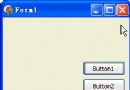
設計時:選取 Button/MenuItem → Object Inspector → `Action` 下拉選擇對應 `TAction`。
執行時:`Action.Enabled := False` 瞬間讓所有綁定的按鈕、選單項變灰/隱藏。
新專案可考慮:
• Spring4D 依賴注入 + 屬性標記權限。
• Casbin (Go/Delphi 移植) 策略引擎 (RBAC/ABAC/ACL)。
• VCL Styles + TActionManager 統一工具列/選單/功能區管理。