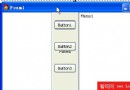
傳統資料感知元件需實作 TDataLink 介面,程式碼龐大易出錯。本元件採用「組合大於繼承」策略,內部動態建立 TDBComboBox 陣列處理編輯,兼具下拉提示與資料繫結能力。
type
  TDBPanel = class(TPanel)
  private
    FScrollBox: TScrollBox;           // 捲動容器
    Editors: array of TDBComboBox;    // 動態編輯控制項陣列
    Labels: array of TLabel;          // 動態標籤陣列
    OkButton: TButton;                // 確認按鈕
    FDataSource: TDataSource;         // 資料來源
    FColumns: Integer;                // 顯示欄數
    FClick: TNotifyEvent;             // OnOkClick 事件
    // ... 版面配置參數
  protected
    procedure FreeEditors;            // 逆序釋放記憶體
  public
    procedure CreateEditors;          // 依資料集動態建立
    procedure AddHits(Index: Integer; Hits: array of string); // 加入下拉提示
    procedure ClearHits(Index: Integer);
    function Editor(Index: Integer): TDBComboBox;
    // 鍵盤導航處理
    procedure AKeyPress(Sender: TObject; var Key: Char);
    procedure AKeyDown(Sender: TObject; var Key: Word; Shift: TShiftState);
  published
    property DataSource: TDataSource read FDataSource write FDataSource;
    property Columns: Integer read FColumns write FColumns default 2;
    property OnOkClick: TNotifyEvent read FClick write FClick;
    // ... 版面屬性
  end;
procedure TDBPanel.CreateEditors;
var
  i: Integer;
  Field: TField;
begin
  FreeEditors;  // 先清理舊控制項
  if not Assigned(FDataSource) or not Assigned(FDataSource.DataSet) then Exit;

  FDataSource.DataSet.GetFieldList(List, ''); // 取得欄位清單
  SetLength(Editors, List.Count);
  SetLength(Labels, List.Count);

  for i := 0 to List.Count - 1 do
  begin
    Field := TField(List[i]);
    // 建立標籤
    Labels[i] := TLabel.Create(Self);
    Labels[i].Parent := FScrollBox;
    Labels[i].Caption := Field.DisplayLabel;
    Labels[i].Left := FLeft;
    Labels[i].Top := FTop + i * FLineHeight;

    // 建立 DBComboBox
    Editors[i] := TDBComboBox.Create(Self);
    Editors[i].Parent := FScrollBox;
    Editors[i].DataSource := FDataSource;
    Editors[i].DataField := Field.FieldName;
    Editors[i].Left := Labels[i].Left + FLabelWidth;
    Editors[i].Top := Labels[i].Top;
    Editors[i].Width := FEditorWidth;
    Editors[i].OnKeyPress := AKeyPress;
    Editors[i].OnKeyDown := AKeyDown;
  end;

  // 建立確認按鈕
  OkButton := TButton.Create(Self);
  OkButton.Parent := FScrollBox;
  OkButton.Caption := '確定';
  OkButton.OnClick := OkButtonClick;
  // ... 定位邏輯
end;
procedure TDBPanel.AddHits(ItemIndex: Integer; Hits: array of string);
var
  i: Integer;
begin
  if (ItemIndex >= 0) and (ItemIndex < Length(Editors)) then
    for i := 0 to High(Hits) do
      Editors[ItemIndex].Items.Add(Hits[i]);
end;
procedure TDBPanel.AKeyDown(Sender: TObject; var Key: Word; Shift: TShiftState);
var
  CurrentIndex: Integer;
begin
  CurrentIndex := EditorIndex(TDBComboBox(Sender)); // 取得陣列索引
  case Key of
    VK_UP:    if CurrentIndex > 0 then Editors[CurrentIndex - 1].SetFocus;
    VK_DOWN:  if CurrentIndex < High(Editors) then Editors[CurrentIndex + 1].SetFocus;
    VK_LEFT:  if CurrentIndex >= FColumns then Editors[CurrentIndex - FColumns].SetFocus;
    VK_RIGHT: if CurrentIndex + FColumns <= High(Editors) then Editors[CurrentIndex + FColumns].SetFocus;
  end;
end;
procedure TDBPanel.FreeEditors;
var
  i: Integer;
begin
  // 先釋放子控制項,再釋放陣列
  for i := High(Editors) downto 0 do
  begin
    Editors[i].Free;
    Labels[i].Free;
  end;
  SetLength(Editors, 0);
  SetLength(Labels, 0);
  if Assigned(OkButton) then
  begin
    OkButton.Free;
    OkButton := nil;
  end;
end;

destructor TDBPanel.Destroy;
begin
  FreeEditors;
  FScrollBox.Free;
  inherited;
end;
procedure TForm1.FormCreate(Sender: TObject);
begin
  Query1.Open;
  DBPanel1.DataSource := DataSource1;
  DBPanel1.Columns := 3;
  DBPanel1.CreateEditors;

  // 為特定欄位加入下拉提示
  DBPanel1.AddHits(0, ['台北市', '新北市', '桃園市']);
  DBPanel1.AddHits(1, ['男', '女']);
end;

procedure TForm1.DBPanel1OkClick(Sender: TObject);
begin
  // 使用者按下確定後的驗證/儲存邏輯
  if ValidateInput then
    DataSource1.DataSet.Post
  else
    DataSource1.DataSet.Cancel;
end;
TDBComboBox 內建資料繫結TScrollBox 解決欄位過多超出畫面問題OnOkClick 讓使用者注入業務邏輯Win98 + Delphi 5.0 驗證通過,同樣適用於更新版本 Delphi(需注意 Unicode 字串處理)。