TDIB.SephiaEffect 將影像轉換為經典的棕褐色調(Sepia),模擬老照片質感。單一參數控制效果強度,本文提供載入圖片後一鍵套用的最小範例。
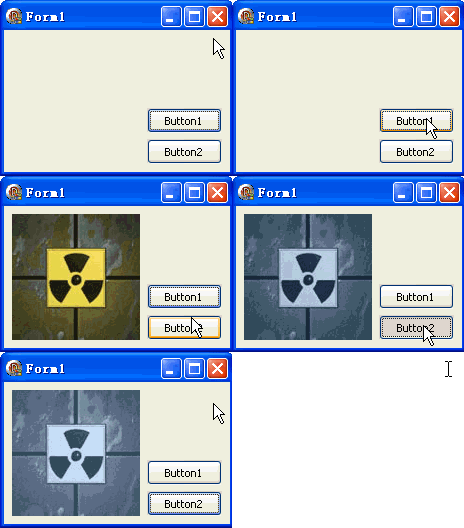
unit Unit1;
interface
uses Windows, Messages, SysUtils, Variants, Classes, Graphics, Controls, Forms,
  Dialogs, DIB, StdCtrls;
type
  TForm1 = class(TForm)
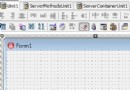
    DXPaintBox1: TDXPaintBox;
    Button1: TButton; // 載入圖片
    Button2: TButton; // 套用懷舊效果
    procedure Button1Click(Sender: TObject);
    procedure Button2Click(Sender: TObject);
  end;
var Form1: TForm1;
implementation {$R *.dfm}

procedure TForm1.Button1Click(Sender: TObject);
const ImgPath1 = 'C:\Temp\DX.jpg';
begin
  DXPaintBox1.DIB.LoadFromFile(ImgPath1);
  DXPaintBox1.Width := DXPaintBox1.DIB.Width;
  DXPaintBox1.Height := DXPaintBox1.DIB.Height;
  DXPaintBox1.Repaint;
end;

procedure TForm1.Button2Click(Sender: TObject);
begin
  // SephiaEffect(Intensity: Integer)
  DXPaintBox1.DIB.SephiaEffect(20);
  DXPaintBox1.Repaint;
end;
end.
R' = 0.393R + 0.769G + 0.189B 等,再按強度與原色插值
procedure CustomSepia(DIB: TDIB; TintColor: TColor; Amount: Single);
var x, y: Integer; c: TRGBQuad; gray: Byte; tr, tg, tb: Byte;
begin
  tr := GetRValue(TintColor); tg := GetGValue(TintColor); tb := GetBValue(TintColor);
  for y := 0 to DIB.Height - 1 do
    for x := 0 to DIB.Width - 1 do begin
      c := DIB.Pixels[x, y];
      gray := Round(0.299*c.rgbRed + 0.587*c.rgbGreen + 0.114*c.rgbBlue);
      c.rgbRed := Round(gray * (1-Amount) + tr * Amount);
      c.rgbGreen := Round(gray * (1-Amount) + tg * Amount);
      c.rgbBlue := Round(gray * (1-Amount) + tb * Amount);
      DIB.Pixels[x, y] := c;
    end;
end;
可產生藍調(青otype)、綠調(夜視儀)、紅調(熱成像)等變體。