在 Delphi 開發中,動態陣列是常用的資料結構。配合 Generics.Collections 單元中的 TArray 靜態類別,我們能以泛型方式高效處理各類型陣列的搜尋、排序等操作,程式碼更簡潔且型別安全。本文將透過完整範例示範如何使用 TArray.BinarySearch 進行二分搜尋,以及 TArray.Sort 進行排序。
string、Integer)。System.Generics.Collections,提供 Sort、BinarySearch、IndexOf 等靜態方法,支援任意泛型陣列。BinarySearch 要求陣列已排序,否則結果不可預期。下列程式碼建立兩個動態陣列(字串與整數),分別搜尋目標值並顯索引位置。
unit Unit1;

interface

uses
  Windows, Messages, SysUtils, Variants, Classes, Graphics, Controls, Forms,
  Dialogs, StdCtrls;

type
  TForm1 = class(TForm)
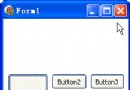
    Button1: TButton;  // 搜尋字串陣列
    Button2: TButton;  // 搜尋整數陣列
    procedure Button1Click(Sender: TObject);
    procedure Button2Click(Sender: TObject);
  end;

var
  Form1: TForm1;

implementation

{$R *.dfm}

uses Generics.Collections;  // 引用泛型集合單元

{ 從字串動態陣列中查找指定元素 }
procedure TForm1.Button1Click(Sender: TObject);
var
  arr: array of string;
  idx: Integer;
begin
  { 建立並填入已排序資料 }
  SetLength(arr, 5);
  arr[0] := 'aaa';
  arr[1] := 'bbb';
  arr[2] := 'ccc';
  arr[3] := 'ddd';
  arr[4] := 'eee';

  { 二分搜尋:回傳找到的索引,若未找到則回傳 Length(arr) }
  TArray.BinarySearch<string>(arr, 'ddd', idx);

  { 判斷是否找到 }
  if idx < Length(arr) then
    ShowMessage('找到索引:' + IntToStr(idx))  // 顯示 3
  else
    ShowMessage('未找到');
end;

{ 從整數動態陣列中查找指定元素 }
procedure TForm1.Button2Click(Sender: TObject);
var
  arr: array of Integer;
  idx: Integer;
begin
  SetLength(arr, 5);
  arr[0] := 11;
  arr[1] := 22;
  arr[2] := 33;
  arr[3] := 44;
  arr[4] := 55;

  TArray.BinarySearch<Integer>(arr, 44, idx);

  if idx < Length(arr) then
    ShowMessage('找到索引:' + IntToStr(idx))  // 顯示 3
  else
    ShowMessage('未找到');
end;

end.
SetLength(arr, 5):動態配置陣列長度。TArray.BinarySearch<T>(arr, value, idx):泛型方法,idx 為 var 參數,回傳找到的索引或插入點。排序是搜尋的前置作業。TArray.Sort 使用快速排序演算法,平均複雜度 O(n log n)。
unit Unit1;

interface

uses
  Windows, Messages, SysUtils, Variants, Classes, Graphics, Controls, Forms,
  Dialogs, StdCtrls;

type
  TForm1 = class(TForm)
    Memo1: TMemo;
    Button1: TButton;  // 排序字串陣列
    Button2: TButton;  // 排序整數陣列
    procedure Button1Click(Sender: TObject);
    procedure Button2Click(Sender: TObject);
  end;

var
  Form1: TForm1;

implementation

{$R *.dfm}

uses Generics.Collections;

{ 給字串動態陣列排序 }
procedure TForm1.Button1Click(Sender: TObject);
var
  arr: array of string;
  i: Integer;
begin
  { 依 Memo 行數配置陣列 }
  SetLength(arr, Memo1.Lines.Count);

  { 複製資料 }
  for i := 0 to Memo1.Lines.Count - 1 do
    arr[i] := Memo1.Lines[i];

  { 排序 }
  TArray.Sort<string>(arr);

  { 回寫顯示 }
  Memo1.Clear;
  for i := 0 to Length(arr) - 1 do
    Memo1.Lines.Add(arr[i]);
end;

{ 給整數動態陣列排序 }
procedure TForm1.Button2Click(Sender: TObject);
const
  COUNT = 10;
var
  arr: array of Integer;
  i: Integer;
begin
  SetLength(arr, COUNT);
  Randomize;
  Memo1.Clear;

  { 產生隨機數並顯示 }
  for i := 0 to COUNT - 1 do
  begin
    arr[i] := Random(100);
    Memo1.Lines.Add(IntToStr(arr[i]));
  end;

  { 排序 }
  TArray.Sort<Integer>(arr);

  { 延遲 1 秒後顯示結果 }
  Sleep(1000);
  Memo1.Clear;
  for i := 0 to COUNT - 1 do
    Memo1.Lines.Add(IntToStr(arr[i]));
end;

end.
若需降序或特定邏輯排序,可傳入 IComparer<T> 介面實作:
uses System.Generics.Defaults;

TArray.Sort<Integer>(arr, TComparer<Integer>.Construct(
  function(const Left, Right: Integer): Integer
  begin
    Result := Right - Left;  // 降序
  end));
| 操作 | 時間複雜度 | 備註 |
|---|---|---|
| TArray.Sort | O(n log n) | 不穩定排序;大量資料建議改用 TList.Sort |
| TArray.BinarySearch | O(log n) | 前提:陣列已排序 |
| TArray.IndexOf | O(n) | 線性搜尋,適用未排序陣列 |
Finalize。<string> 等型別參數。TTask.Run 配合 TArray.Sort 避免阻塞 UI。TArray 搭配泛型為 Delphi 動態陣列操作提供了強大、型別安全的標準庫支援。掌握 Sort 與 BinarySearch 兩大核心方法,即能應對絕大多數陣列搜尋排序需求。實務上記得:先排序、再二分搜尋,並善用自訂比較器滿足業務邏輯。