「編程C語言怎麼入手?求高手講解」——面對龐雜的工具鏈、教材、路徑,初學者最需要的是一條清晰、可落地、符合現代工程實踐的起步指南。本文提供從零開始的完整行動清單。
| 平台 | 推薦方案 | 安裝命令/步驟 | 避坑指南 |
|---|---|---|---|
| Windows | WSL2 + Ubuntu + VS Code (首選) 或 MSYS2/MinGW-w64 + VS Code 或 Visual Studio 2022 Community (C/C++工作負載) | 1. 啟用WSL2: `wsl --install` 2. Ubuntu中: `sudo apt update && sudo apt install build-essential gdb valgrind clang-format` 3. VS Code安裝C/C++ Extension Pack | ❌ Turbo C 2.0/3.0 (DOS年代) ❌ VC6.0 (1998年,不支持C99) ❌ Dev-C++ 5.11 (停止維護) |
| macOS | Xcode Command Line Tools + VS Code | `xcode-select --install` 可選: `brew install gcc llvm valgrind` | 系統clang足夠現代開發 |
| Linux | 原生GCC/Clang + VS Code/CLion | `sudo apt install build-essential gdb valgrind clang-format` (Debian/Ubuntu) `sudo dnf install gcc gcc-c++ gdb valgrind` (Fedora) | 原生體驗最佳 |
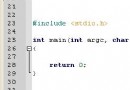
// hello.c
#include

int main() {
    printf("Hello, C World!\n");
    return 0;
}
# 編譯 (開啟所有警告、C11標準、調試信息)
gcc -Wall -Wextra -std=c11 -g -o hello hello.c

# 運行
./hello
# 輸出: Hello, C World!

# 進階:開啟AddressSanitizer檢測內存錯誤
gcc -fsanitize=address -g -o hello hello.c
./hello
# 1. 預處理 (-E)
gcc -E hello.c -o hello.i   # 展開宏、包含頭文件、條件編譯

# 2. 編譯為彙編 (-S)
gcc -S hello.c -o hello.s   # 生成AT&T語法彙編

# 3. 編譯為目標文件 (-c)
gcc -c hello.c -o hello.o   # 二進制目標文件,含符號表

# 4. 鏈接 (隱式調用收集器crtn.o等)
gcc hello.o -o hello        # 鏈接標準庫、啟動代碼、生成可執行文件

# 5. 靜態庫製作與使用
ar rcs libmylib.a utils.o
gcc main.c -L. -lmylib -o app

# 6. 動態庫
gcc -shared -fPIC -o libmylib.so utils.c
gcc main.c -L. -lmylib -Wl,-rpath,. -o app
my_project/
├── CMakeLists.txt          # 構建腳本
├── .gitignore              # 忽略build/ *.o *.out
├── include/
│   └── my_project.h        # 公共頭文件
├── src/
│   ├── main.c              # 入口
│   └── utils.c             # 功能實現
├── test/
│   └── test_utils.c        # 單元測試
└── README.md               # 專案說明
# CMakeLists.txt 最小模板
cmake_minimum_required(VERSION 3.10)
project(MyProject LANGUAGES C)

set(CMAKE_C_STANDARD 11)
set(CMAKE_C_STANDARD_REQUIRED ON)
set(CMAKE_C_FLAGS "${CMAKE_C_FLAGS} -Wall -Wextra -g")

add_executable(my_app src/main.c src/utils.c)
target_include_directories(my_app PUBLIC include)

# 可選:安裝、測試、覆蓋率、靜態分析
enable_testing()
add_subdirectory(test)
typedef struct {
    char name[32];
    char phone[16];
    char email[64];
} Contact;

typedef struct Node {
    Contact data;
    struct Node *next;
} Node;
| 習慣 | 頻率 | 具體行動 |
|---|---|---|
| 寫代碼 | 每天 ≥ 30分鐘 | LeetCode一題 / 專案一個功能 / 重寫庫函數 |
| 讀源碼 | 每週 1小時 | musl libc / redis / nginx / sqlite 核心模塊 |
| 查標準 | 遇到疑問即時 | cppreference.com / C17標準草案 / 編譯器文檔 |
| 寫總結 | 每週 1篇 | 博客/筆記:踩坑記錄 / 源碼閱讀心得 / 工具技巧 |
| 參與開源 | 每月 1次 | 提交Issue/PR / 翻譯文檔 / 補充測試 |
環境就緒、工具順手、專案跑通、習慣養成——這就是C語言編程入門的完整閉環。從今天開始,敲下第一行 `gcc -Wall`,你的系統級工程師之路正式啟航。