瀏覽器 → PHP 腳本 (Web 介面) → C++ 可執行檔 (業務邏輯) → 標準輸出 → PHP 捕獲 → 網頁顯示
核心機制:PHP passthru() / exec() / shell_exec() 執行外部程式並捕獲輸出。
#include <iostream>
#include <cstring>

int main(int argc, char* argv[]) {
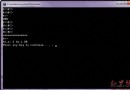
    std::cout << "You passed " << argc - 1 << " arguments.\n";
    std::cout << "These arguments are:\n";
    for (int i = 1; i < argc; ++i) {
        std::cout << "[" << i << "] " << argv[i] << "\n";
    }
    return 0;
}
which g++ 應輸出路徑,否則 apt-get install g++ / yum install gcc-c++。g++ -c sampleapp.cpp -o sampleapp.og++ sampleapp.o -o sampleapp./sampleapp first second 應輸出兩個參數。sampleapp 放置 Web 伺服器可存取路徑 (如 /var/www/html/bin/),設定執行權限 chmod +x sampleapp。
&1');
if ($output === null) $error = "執行失敗或超時";
}
}
?>
C++ App Web Interface
C++ 應用程式參數測試
錯誤:
輸出結果:
escapeshellarg() (單參數) 或 escapeshellcmd() (整個命令)。proc_open() + stream_set_timeout() 或系統層面 timeout 命令包裹。htmlspecialchars() 防 XSS。cpp-httplib, Crow, Pistache) 替代進程啟動開銷。