在 Android 開發中,為 GridView 添加圓角矩形邊框是常見的 UI 需求。通過自定義 Drawable 資源,我們可以輕鬆實現這一效果,無需複雜的代碼邏輯。
在 res/drawable/ 目錄下創建 XML 文件(如 gridview_border.xml),定義形狀、填充色、描邊和圓角半徑:
<?xml version="1.0" encoding="utf-8"?>
<shape xmlns:android="https://schemas.android.com/apk/res/android">
    <solid android:color="#C0C0C0" />
    <stroke android:width="1dp" android:color="#000000" />
    <corners android:radius="5dp" />
</shape>
在佈局文件中將該 drawable 設置為 GridView 的背景:
<GridView
    android:id="@+id/gridView"
    android:layout_width="match_parent"
    android:layout_height="match_parent"
    android:background="@drawable/gridview_border"
    android:numColumns="3"
    android:padding="10dp"
    android:verticalSpacing="10dp"
    android:horizontalSpacing="10dp" />
GradientDrawable 動態修改圓角半徑<selector> 實現按下、聚焦等狀態下的不同邊框樣式android:padding 防止內容貼邊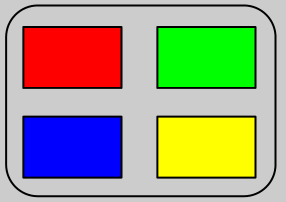
通過 Shape Drawable 實現 GridView 圓角邊框,代碼量少、性能好、易維護,是 Android UI 開發的推薦做法。