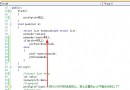
專案在 Eclipse 中顯示無紅叉,但點擊 Run 卻彈出 your project contains error(s), please fix them before running your application。已確認 project.properties 中 target=android-10、專案屬性 Android 版本為 2.3.3,版本一致。
Project → Clean… 勾選專案 → OK,觀察 Console 是否仍報錯。Window → Show View → Problems,查看是否有隱藏的編譯錯誤(如資源檔案遺失、XML 語法錯誤)。.java 檔案內部可能有紅線(如未匯入類別、語法錯誤)。請展開 src/ 目錄,逐個打開檔案確認。res/ 目錄下的 XML(layout、values、menu 等)若有語法錯誤,不會在 Java 編輯器顯示,但會阻止打包。請用文字編輯器檢查是否有未閉合標籤、編碼問題。Properties → Android → Library。R.java 未生成導致 R.id.xxx 找不到符號AndroidManifest.xml 中 minSdkVersion / targetSdkVersion 與專案設定不一致耐心逐項排查,通常能在某個具體檔案中定位到真正的錯誤來源。