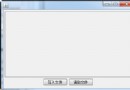
後台動態創建 TabPage 並添加 HtmlGenericControl("iframe"),前端渲染出 Tab 標籤但 iframe 內容為空白,不顯示目標頁面。
DevExpress 控件樹生命週期:動態添加的控件必須在 Page_Init 或 Page_Load (ViewState 載入前) 建立,且需正確加入 Controls 集合。單純加入 ContentCollection 不會自動處理子控件的渲染生命週期。
protected void Page_Init(object sender, EventArgs e) {
    if (!IsPostBack) {
        BuildTabsFromDatabase();
    } else {
        // Postback 時必須重建,否則 ViewState 找不到控件
        BuildTabsFromDatabase();
    }
}

private void BuildTabsFromDatabase() {
    DataTable dt = GetTabData(); // 從資料庫讀取

    foreach (DataRow row in dt.Rows) {
        string cellId = row["CellID"].ToString();
        string cellUrl = row["CellURL"].ToString();
        string cellName = row["CellName"].ToString();

        // 1. 創建 TabPage
        TabPage tabPage = new TabPage(cellName, cellId);

        // 2. 創建內容容器 (關鍵:使用 TemplateContainer 或直接加 Controls)
        var contentPanel = new Panel { ID = "pnl_" + cellId };

        // 3. 創建 iframe - 使用 LiteralControl 輸出原始 HTML 最可靠
        string iframeHtml = $@"
            <iframe id='ifr_{cellId}'
                    src='{ResolveUrl(cellUrl)}'
                    frameborder='0'
                    style='width:100%;height:100%;border:none;'>
            </iframe>";
        contentPanel.Controls.Add(new LiteralControl(iframeHtml));

        // 4. 將 Panel 加入 TabPage 的 Controls (而非 ContentCollection)
        tabPage.Controls.Add(contentPanel);

        // 5. 添加到 PageControl
        pageControl.TabPages.Add(tabPage);
    }
}public class IframeTemplate : ITemplate {
private readonly string _url;
private readonly string _id;
public IframeTemplate(string url, string id) {
_url = url; _id = id;
}
public void InstantiateIn(Control container) {
var literal = new LiteralControl($@"
<iframe id='{_id}' src='{_url}' frameborder='0' style='width:100%;height:500px;'></iframe>");
container.Controls.Add(literal);
}
}
// 使用
var tabPage = new TabPage(cellName, cellId);
tabPage.Templates.Content = new IframeTemplate(cellUrl, "ifr_" + cellId);
pageControl.TabPages.Add(tabPage);| 錯誤做法 | 正確做法 |
|---|---|
用 HtmlGenericControl("iframe") | 用 LiteralControl 輸出完整 iframe HTML |
加入 ContentCollection | 加入 TabPage.Controls 或用 Templates.Content |
| 只在 !IsPostBack 建立 | 每次 Request 都要重建 (或用 ViewState 自動恢復) |
| iframe src 用相對路徑 | 用 ResolveUrl() 或絕對路徑 |
<script>
function resizeIframe(iframeId) {
    var iframe = document.getElementById(iframeId);
    iframe.onload = function() {
        try {
            iframe.style.height = iframe.contentWindow.document.body.scrollHeight + 'px';
        } catch (e) {
            // 跨域無法獲取高度,需目標頁面配合 postMessage
        }
    };
}
// 頁面載入後調用
resizeIframe('ifr_123');
</script>// 父頁面
window.addEventListener('message', function(e) {
if (e.data.type === 'resize') {
document.getElementById(e.data.iframeId).style.height = e.data.height + 'px';
}
});
// 子頁面 (iframe 內)
window.parent.postMessage({
type: 'resize',
iframeId: 'ifr_123',
height: document.body.scrollHeight
}, '*');Page_Init 中動態創建 TabPageLiteralControl 輸出 HTML,而非伺服器控件ResolveUrl() 處理虛擬路徑style='width:100%;height:100%' 撐滿 Tab 內容區