開發者使用 getClass().getResource() 獲取資源文件路徑時,發現輸出路徑中出現 %20,導致無法正確定位文件。本文解釋原因並給出解決方案。
// 代碼
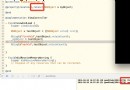
URL url = this.getClass().getResource("/users.xml");
// 輸出
file:/D:/myeclipse/MyEclipse%2010/workspace/Web_project/WebRoot/WEB-INF/classes/users.xml
預期路徑:/D:/myeclipse/MyEclipse 10/workspace/...
實際路徑:MyEclipse%2010 中的 %20 代表空格。
URL 標準規定路徑中的空格必須進行百分號編碼(Percent-encoding),空格編碼為 %20。getResource() 返回的是 URL 對象,其 toString() 或 getPath() 會保留編碼格式。
URLDecoder.decode() 解碼(推薦):
String path = URLDecoder.decode(url.getPath(), "UTF-8");File 構造(僅限 file 協議):
File file = new File(url.toURI()); // 自動處理編碼try {
URL url = this.getClass().getResource("/users.xml");
if (url != null) {
String decodedPath = URLDecoder.decode(url.getPath(), "UTF-8");
System.out.println("真實路徑: " + decodedPath);
// 輸出: /D:/myeclipse/MyEclipse 10/workspace/...
}
} catch (Exception e) {
e.printStackTrace();
}
總結:%20 是 URL 編碼後的空格,使用 URLDecoder 或 toURI() 即可獲得正確的文件系統路徑。