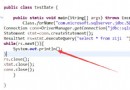
佈局 XML 報錯 `XML: not well-formed`,錯誤指向 `android:layout_alignBottom="@id/input"` 和 `android:layout_below="@id/login_button"` 行。
**XML 元素標籤前有空格/縮進字元**。XML 規範要求**標籤名必須緊接 `<` 符號**,不允許前導空白。
< RelativeLayout ... >  <-- 錯誤:< 和 RelativeLayout 之間有空格
    < ImageView ... />    <-- 錯誤
    < LinearLayout ... >  <-- 錯誤
<RelativeLayout xmlns:android="https://schemas.android.com/apk/res/android"
    xmlns:tools="https://schemas.android.com/tools"
    android:layout_width="match_parent"
    android:layout_height="match_parent"
    android:background="@drawable/baidi">

    <ImageView
        android:id="@+id/login_button"
        android:layout_width="wrap_content"
        android:layout_height="wrap_content"
        android:layout_centerHorizontal="true"
        android:layout_marginTop="50dp"
        android:src="@drawable/yezizhi" />

    <LinearLayout
        android:id="@+id/input"
        android:layout_width="fill_parent"
        android:layout_height="wrap_content"
        android:layout_below="@id/login_button"
        android:layout_marginLeft="28.0dip"
        android:layout_marginRight="28.0dip"
        android:background="@drawable/baidi"
        android:orientation="vertical">

        <!-- 子元素 -->

    </LinearLayout>

    <Button
        android:id="@+id/buton1"
        android:layout_width="270dp"
        android:layout_height="50dp"
        android:layout_alignBottom="@id/input"
        android:layout_centerHorizontal="true"
        android:background="@drawable/landi"
        android:text="登錄" />

</RelativeLayout>
XML `not well-formed` 多數由**標籤前導空格、屬性缺引號、標籤未閉合**等語法錯誤引起。**善用 AS 格式化 (Ctrl+Alt+L) 與 Inspect Code**,嚴格遵循 XML 規範:標籤名緊貼 `<`,屬性值加雙引號,標籤正確閉合。