Dialog dialog = new Dialog(this); 彈出時四周有白邊,即使調用 requestWindowFeature(Window.FEATURE_NO_TITLE) 也無效。
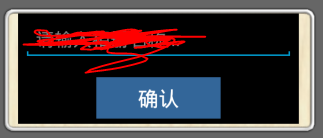
系統預設 Theme.Dialog 包含 windowBackground(白色邊框圖片),需覆蓋為透明。
<style name="CustomDialog" parent="android:style/Theme.Dialog">
    <item name="android:windowBackground">@android:color/transparent</item>
    <item name="android:windowNoTitle">true</item>
    <item name="android:windowIsFloating">true</item>
</style>
Dialog dialog = new Dialog(this, R.style.CustomDialog);
dialog.setContentView(R.layout.customdialog); // 自定義佈局
dialog.show();
<LinearLayout xmlns:android="https://schemas.android.com/apk/res/android"
    android:layout_width="wrap_content"
    android:layout_height="wrap_content"
    android:background="@android:color/transparent"
    android:orientation="vertical">
    <!-- 內容 -->
</LinearLayout>
public class MyDialogFragment extends DialogFragment {
    @Override
    public Dialog onCreateDialog(Bundle savedInstanceState) {
        Dialog dialog = new Dialog(getActivity(), R.style.CustomDialog);
        dialog.setContentView(R.layout.customdialog);
        return dialog;
    }
}
Theme.Dialog 或 Theme.AppCompat.Dialog。transparent 或自定義 shape。android:windowBackground 設置 @null 徹底移除背景 Drawable。