使用 UISearchController 進行搜尋篩選時,更新自定義 Cell 的 titleLabel 文字,日誌顯示賦值成功,但介面仍顯示舊數值。代碼片段顯示直接操作 Cell 的子視圖屬性。
Cell 重用機制導致直接操作子視圖失效。 UITableView 透過 dequeueReusableCellWithIdentifier: 重用 Cell。若在配置 Cell 時(cellForRowAtIndexPath:)僅對子視圖賦值,而未在 Cell 子類中重寫 prepareForReuse 或 setNeedsLayout,重用時舊狀態殘留,且自動佈約可能覆蓋手動設置的屬性。
@interface CustomCell : UITableViewCell
@property (nonatomic, strong) IBOutlet UILabel *titleLabel;
// 其他子視圖...
- (void)configureWithTitle:(NSString *)title;
@end

@implementation CustomCell
- (void)configureWithTitle:(NSString *)title {
    self.titleLabel.text = title;
    // 設置其他子視圖...
    [self setNeedsLayout]; // 觸發佈局更新
}

- (void)prepareForReuse {
    [super prepareForReuse];
    self.titleLabel.text = nil; // 重置狀態
}
@end- (UITableViewCell *)tableView:(UITableView *)tableView cellForRowAtIndexPath:(NSIndexPath *)indexPath {
CustomCell *cell = [tableView dequeueReusableCellWithIdentifier:@"CustomCell" forIndexPath:indexPath];
NSString *title = ...; // 根據搜尋結果獲取數據
[cell configureWithTitle:title];
return cell;
}[tableView registerClass:[CustomCell class] forCellReuseIdentifier:@"CustomCell"]; // 代碼註冊
// 或 Storyboard 中設置 Custom Class 為 CustomCell,Identifier 為 "CustomCell"cell.titleLabel.text = ... 破壞了封裝,Cell 內部無法感知變化觸發佈局。titleLabel 可能仍指向舊實例或被自動佈局約束覆蓋。prepareForReuse 導致舊數據殘留。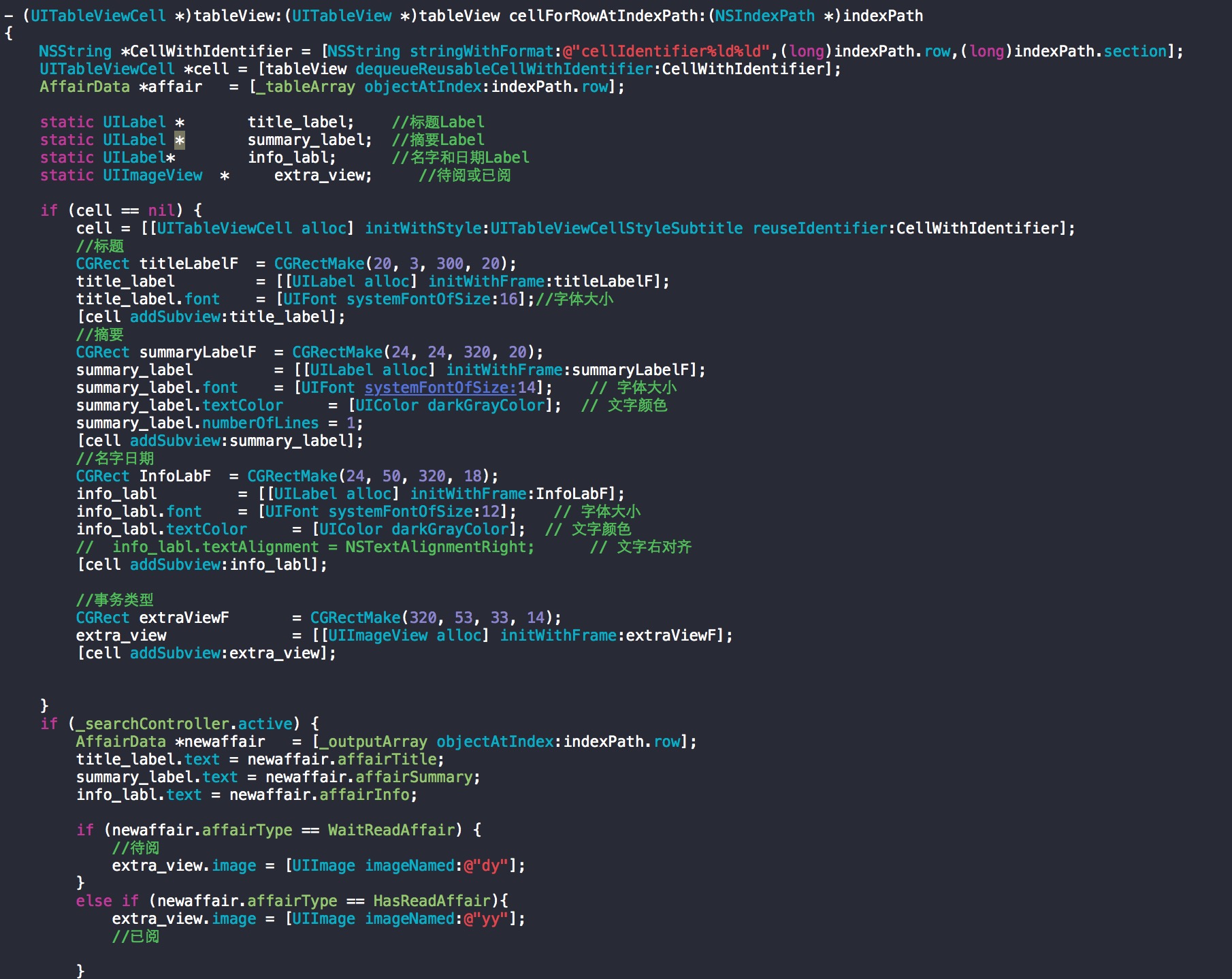
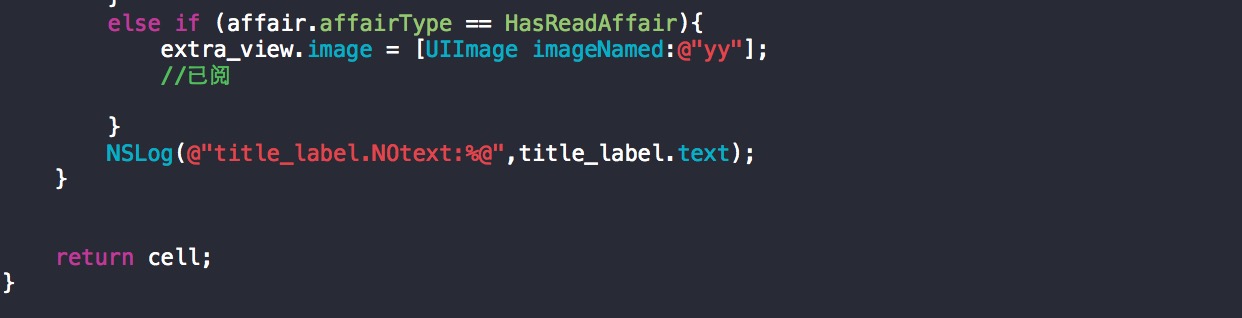
configureWith... 方法。prepareForReuse 重置所有動態屬性。setNeedsLayout / layoutIfNeeded。[tableView reloadData],而非嘗試單獨刷新可見 Cell。遵循「Cell 自己管理自己的視圖狀態」原則,即可解決 UISearchController 等篩選場景下自定義 Cell 顯示異常的問題。