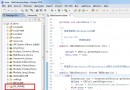
在使用 AFNetworking 進行網絡請求時,開發者常遇到一個經典問題:在回調閉包中已成功解析數據並添加到 dataArray,但 viewDidLoad 中檢查時數組卻為空,導致表格視圖無數據顯示。這通常是由於異步請求的執行順序誤解或 UI 刷新時機不當引起的。
以下是典型的問題代碼結構:
@interface ViewController ()
@property (nonatomic, weak) UITableView *tableView;
@property (nonatomic, strong) NSMutableArray *dataArray;
@property (nonatomic, copy) NSString *url;
@end

@implementation ViewController

- (void)viewDidLoad {
    [super viewDidLoad];
    self.view.backgroundColor = [UIColor whiteColor];
    UITableView *tableView = [[UITableView alloc] init];
    tableView.frame = CGRectMake(0, 0, 375, 667);
    [self.view addSubview:tableView];
    self.tableView = tableView;
    self.tableView.delegate = self;
    self.tableView.dataSource = self;
    self.url = @"https://api.douban.com/v2/movie/top250";
    self.dataArray = [[NSMutableArray alloc] init];
    [self.tableView registerNib:[UINib nibWithNibName:@"Cell" bundle:nil] forCellReuseIdentifier:@"Cell"];
    [self testJSON];
}

- (void)testJSON {
    NSString *path = self.url;
    AFHTTPRequestOperationManager *manager = [AFHTTPRequestOperationManager manager];
    manager.responseSerializer = [AFHTTPResponseSerializer serializer];
    [manager GET:path parameters:nil success:^(AFHTTPRequestOperation *operation, id responseObject) {
        NSDictionary *dic = [NSJSONSerialization JSONObjectWithData:responseObject options:NSJSONReadingMutableContainers error:nil];
        NSArray *movieArray = dic[@"subjects"];
        for (NSDictionary *dict in movieArray) {
            Model *model = [[Model alloc] init];
            model.movieName = dict[@"title"];
            model.movieYear = dict[@"year"];
            model.movieImage = dict[@"images"][@"large"];
            [self.dataArray addObject:model];
        }
        [_tableView reloadData];
    } failure:^(AFHTTPRequestOperation *operation, NSError *error) {
        NSLog(@"%@", error);
    }];
}
代碼中存在兩個關鍵錯誤:
@"Cell",但 cellForRowAtIndexPath 中卻使用 @"ID",導致無法正確復用 Cell,表格無法顯示數據。testJSON 發起的網絡請求是異步的,viewDidLoad 繼續執行時請求可能尚未完成,此時檢查 dataArray 自然為空。正確做法是在請求成功回調中刷新表格(代碼中已包含 [_tableView reloadData]),而非在 viewDidLoad 中判斷。// 註冊
[self.tableView registerNib:[UINib nibWithNibName:@"Cell" bundle:nil] forCellReuseIdentifier:@"Cell"];
// 復用
static NSString *ID = @"Cell";
Cell *cell = [tableView dequeueReusableCellWithIdentifier:ID];
dispatch_async(dispatch_get_main_queue(), ^{
    [self.tableView reloadData];
});
viewDidLoad 中對 dataArray 即時判斷的邏輯,信任異步回調流程。AFNetworking 4.x+ 或 Alamofire Swift 版)簡化異步處理。通過修正標識符不一致並理解異步請求的生命周期,即可解決數據不顯示的問題。初學者應重點掌握異步編程模式與 UITableView 復用機制,這是 iOS 開發的基石。