表格含複選框列,用戶勾選部分行後點擊「抽取」:
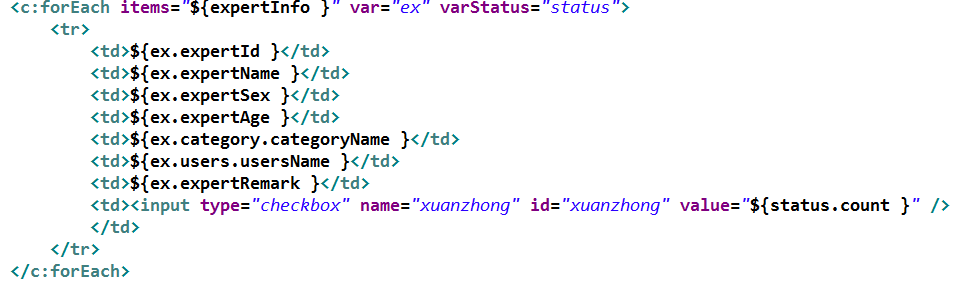
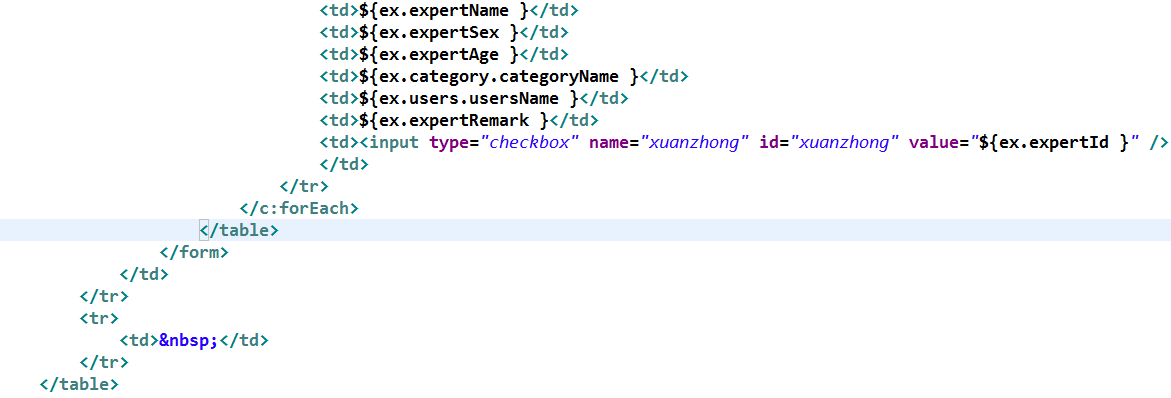
<input type="checkbox" name="xuanzhong"
       id="xuanzhong_${ex.expertId}"
       value="${ex.expertId}" />
關鍵點:id 包含業務主鍵,便於精準定位。
<script>
$(function() {
  // 1. 為每個 checkbox 綁定點擊事件(事件委託更優)
  $(document).on('click', '[name="xuanzhong"]', function() {
    handleCheckboxClick(this.id);
  });
});

function handleCheckboxClick(currentId) {
  $('[name="xuanzhong"]').each(function() {
    const $chk = $(this);
    if ($chk.is('#' + currentId)) {
      // 當前點擊的 checkbox:可執行自定義邏輯
      console.log('當前操作:', currentId);
    } else {
      // 其他 checkbox
      if ($chk.is(':checked')) {
        // 已勾選:保持狀態,不做任何事
      } else {
        // 未勾選:標記待刷新
        $chk.data('needRefresh', true);
      }
    }
  });
}

// 3. 「抽取」按鈕點擊:收集 needRefresh=true 的行,批量請求後端
$('#extractBtn').click(function() {
  const ids = [];
  $('[name="xuanzhong"]').filter(function() {
    return $(this).data('needRefresh') === true;
  }).each(function() {
    ids.push(this.value);
    $(this).removeData('needRefresh'); // 重置標記
  });

  if (ids.length === 0) return;

  $.post('/api/refresh', { ids: ids.join(',') }, function(res) {
    // 假設 res 為 { id: htmlRow } 對象
    ids.forEach(id => {
      const $tr = $('#xuanzhong_' + id).closest('tr');
      $tr.replaceWith(res[id]);
    });
  }, 'json');
});
</script>
| 優化點 | 實現方式 |
|---|---|
| 減少 DOM 操作 | 使用 DocumentFragment 批量構建後一次性替換 |
| 斷點續傳 | 本地 localStorage 記錄已勾選 ID,頁面刷新自動恢復 |
| 防抖節流 | 「抽取」按鈕加 debounce(300ms) 防止重複提交 |
| 錯誤重試 | 請求失敗時 exponential backoff 重試 3 次 |
最佳回答提供的原始代碼片段:
1.修改checkbox的id設定 <input type="checkbox" name="xuanzhong" id="xuanzhong_${ex.expertId}" value="${ex.expertId}" />
2.增加jQuery處理,當然需要倒入jQuery庫
<script>
//初期Event處理追加
$(function(
//為每個checkbox加上點擊event處理
$("[name='xuanzhong']").each(function(
var $currentId = $(this).attr("id");
$(this).click(function(){ handleXuanzhongClickEvent($currentId); });
));
));
function handleXuanzhongClickEvent($currentId) {
$("[name='xuanzhong']").each(function(
if ($(this).is("#"+$currentId)) {
//發生Event的checkbox處理
//自己寫
} else {
//發生Event以外的checkbox處理
if ($(this).is(":checked")) {
//選中的checkbox處理
//自己寫
} else {
//未選中的checkbox處理
//自己寫
}
}
));
}
</script>
通過「唯一 ID 標識 + 事件委託 + 數據屬性標記 + 批量異步替換」四步走,優雅解決複選框狀態保持與局部刷新問題,代碼結構清晰、易於維護擴展。