頁面表格含多行數據,每行首列為複選框。點擊「全選」後,需將所有勾選行的 ID 收集成 List 通過 AJAX 提交到後端 Action。
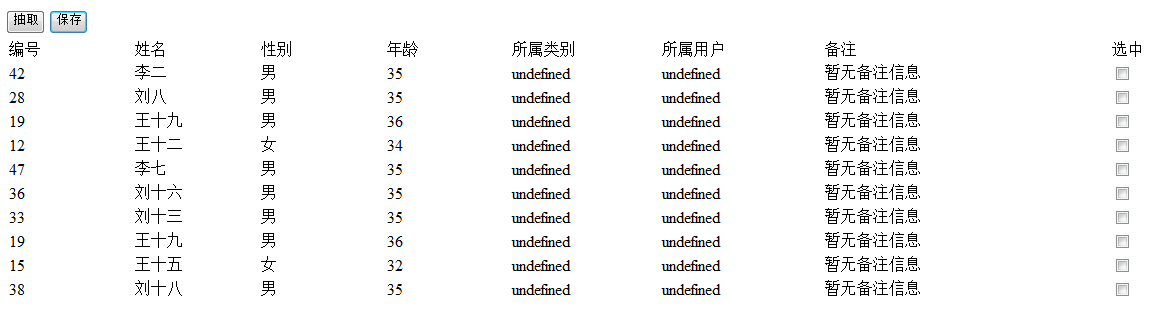
<form id="dataForm">
    <table>
        <thead>
            <tr><th><input type="checkbox" id="checkAll"></th><th>編號</th><th>名稱</th></tr>
        </thead>
        <tbody>
            <c:forEach items="${list}" var="item">
            <tr>
                <td><input type="checkbox" name="ids" value="${item.id}"></td>
                <td>${item.id}</td>
                <td>${item.name}</td>
            </tr>
            </c:forEach>
        </tbody>
    </table>
</form>
<button onclick="submitSelected()">提交選中</button>$("#checkAll").change(function() {
$("input[name='ids']").prop("checked", this.checked);
});serialize() + traditional: true)function submitSelected() {
// 方式一:直接序列化整個表單(最簡單)
$.ajax({
cache: false,
type: "POST",
url: "/yourActionPath", // 替換為實際 Action 路徑
data: $("#dataForm").serialize(), // 自動拼裝 ids=1&ids=2&ids=3...
traditional: true, // 關鍵!防止 jQuery 深度序列化為 ids[0]=1&ids[1]=2...
async: true,
success: function(response) {
// 根據後端約定處理返回
if (response.success) {
alert("提交成功");
// 可選:局部刷新 $("#resultDiv").html(response.data);
} else {
alert("失敗:" + response.msg);
}
},
error: function(xhr) {
alert("網絡異常:" + xhr.status);
}
});
// 方式二:手動構造數組(若不想提交表單其他字段)
// var ids = $("input[name='ids']:checked").map(function(){ return this.value; }).get();
// $.ajax({ ..., data: { ids: ids }, traditional: true, ... });
}// Spring MVC
@PostMapping("/yourActionPath")
public Result submit(@RequestParam("ids") List ids) {
// ids 自動綁定為 [1, 2, 3...]
service.batchProcess(ids);
return Result.ok();
}
// Struts2 Action
private List ids; // + getter/setter
public String execute() { ... } | 常見錯誤 | 後果 | 修正 |
|---|---|---|
缺少 traditional: true | 後端收到 ids[0]=1&ids[1]=2 無法綁定 List | 必加 traditional: true |
複選框無 name="ids" | serialize() 不會包含該字段 | 統一 name="ids" |
用 JSON.stringify 但後端無 @RequestBody | 參數解析失敗 | 改用表單序列化或加 @RequestBody |
全選邏輯用 .attr("checked", true) | jQuery 1.6+ 失效 | 用 .prop("checked", true) |
<!DOCTYPE html>
<html>
<head>
<script src="https://cdn.jsdelivr.net/npm/jquery@3.6.0/dist/jquery.min.js"></script>
</head>
<body>
<form id="dataForm">
<table border="1">
<tr><th><input type="checkbox" id="checkAll"></th><th>ID</th><th>名稱</th></tr>
<tr><td><input type="checkbox" name="ids" value="1"></td><td>1</td><td>Apple</td></tr>
<tr><td><input type="checkbox" name="ids" value="2"></td><td>2</td><td>Banana</td></tr>
<tr><td><input type="checkbox" name="ids" value="3"></td><td>3</td><td>Cherry</td></tr>
</table>
</form>
<button onclick="submitSelected()">批量提交</button>
<script>
$("#checkAll").change(function() {
    $("input[name='ids']").prop("checked", this.checked);
});
function submitSelected() {
$.ajax({
url: "/demo/action",
type: "POST",
data: $("#dataForm").serialize(),
traditional: true,
success: function(r) { console.log("成功", r); },
error: function() { alert("失敗"); }
});
}
</script>
</body>
</html>採用 serialize() + traditional: true 組合,前端零拼接、後端零解析,實現複選框批量提交的最佳實踐。