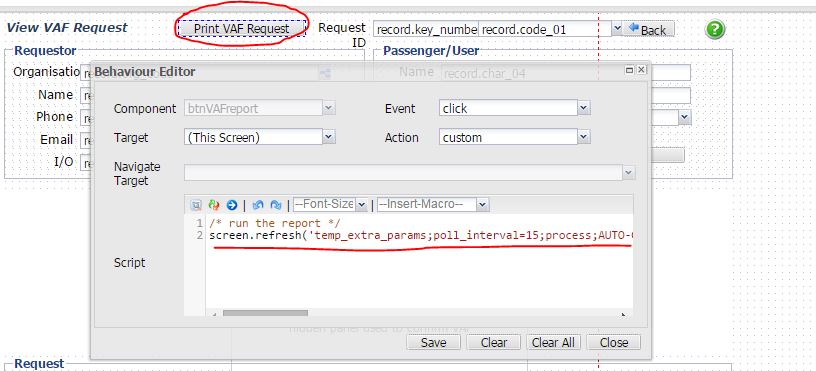
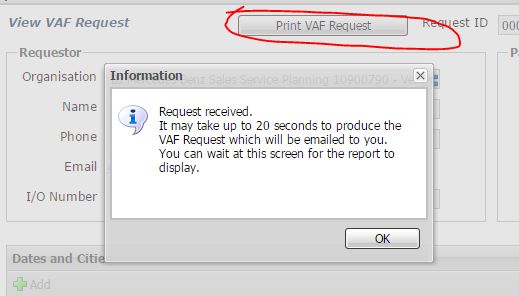
點擊「Print VAF Request」按鈕,後端生成 PDF 報告,前端觸發瀏覽器下載。
Ext.define('MyApp.view.ReportPanel', {
    extend: 'Ext.panel.Panel',
    items: [{
        xtype: 'button',
        text: 'Print VAF Request',
        handler: 'onPrintClick'
    }]
});

Ext.define('MyApp.controller.Report', {
    extend: 'Ext.app.ViewController',
    alias: 'controller.report',
    onPrintClick: function(btn) {
        Ext.Ajax.request({
            url: '/api/report/vaf',
            method: 'GET',
            responseType: 'blob', // 關鍵:接收二進制流
            success: function(response) {
                var blob = new Blob([response.responseBytes], {type: 'application/pdf'});
                var url = URL.createObjectURL(blob);
                var a = document.createElement('a');
                a.href = url;
                a.download = 'VAF_Report_' + Ext.Date.format(new Date(), 'YmdHis') + '.pdf';
                document.body.appendChild(a);
                a.click();
                document.body.removeChild(a);
                URL.revokeObjectURL(url);
            },
            failure: function() { Ext.Msg.alert('錯誤', '報表生成失敗'); }
        });
    }
});
@GetMapping(value="/report/vaf", produces="application/pdf") 返回 ResponseEntity<byte[]>。Content-Disposition: attachment; filename="report.pdf"。