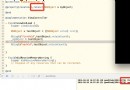
核心代碼
Private Sub cmdCopy_Click()
    ' 1. 設定 File 控制項初始路徑 (可選)
    File1.Path = "C:\"

    ' 2. 使用 CommonDialog 讓用戶選檔 (比 File 控制項更現代)
    With CommonDialog1
        .Filter = "所有檔案 (*.*)|*.*"
        .DialogTitle = "請選擇要複製的檔案"
        .ShowOpen
        If Len(.FileName) = 0 Then Exit Sub
        srcFile = .FileName
    End With

    ' 3. 目標資料夾
    destFolder = "D:\Backup\"
    If Right(destFolder, 1) <> "\" Then destFolder = destFolder & "\"
    destFile = destFolder & GetFileName(srcFile)

    ' 4. 複製 (FileCopy 陳述式)
    On Error Resume Next
    FileCopy srcFile, destFile
    If Err.Number <> 0 Then
        MsgBox "複製失敗: " & Err.Description
    Else
        MsgBox "複製成功至 " & destFile
    End If
    On Error GoTo 0
End Sub

Function GetFileName(fullPath As String) As String
    GetFileName = Mid(fullPath, InStrRev(fullPath, "\") + 1)
End Function
說明
FileCopy 為 VB 內建陳述式,可跨磁碟複製。- 若需顯示進度,需用 API
CopyFileEx 或分塊讀寫。
- VB6 專案需加入 Microsoft Common Dialog Control 6.0 參考。