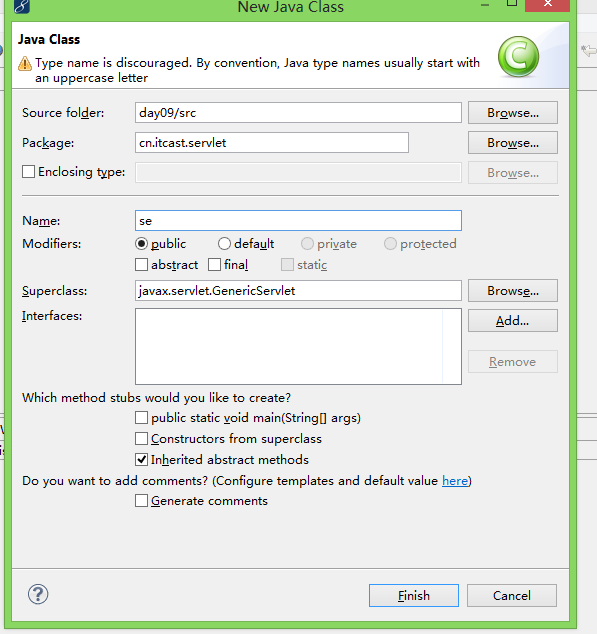
The method contains(CharSequence) from the type String refers to the missing type CharSequence
發生在 `if (agent.contains("MSIE"))` 行。
// 原始 (可能報錯)
if (agent.contains("MSIE")) { ... }

// 修正 (相容 JDK 1.4+、所有 Servlet 容器)
if (agent != null && agent.indexOf("MSIE") != -1) { ... }
`indexOf(String)` 為 **JDK 1.0 就存在**,零相容性風險。
@WebServlet("/download")
public class DownloadServlet extends HttpServlet {
    @Override
    protected void doGet(HttpServletRequest req, HttpServletResponse resp)
            throws ServletException, IOException {

        // 1. 取得檔案絕對路徑 (實際專案請從資料庫/配置獲取,防止路徑遍歷攻擊)
        String relativePath = "/img/外國美女.jpg";
        String realPath = getServletContext().getRealPath(relativePath);
        File file = new File(realPath);

        if (!file.exists() || !file.isFile()) {
            resp.sendError(HttpServletResponse.SC_NOT_FOUND);
            return;
        }

        // 2. 解析檔名
        String fileName = file.getName();

        // 3. User-Agent 判斷編碼策略 (修正點)
        String agent = req.getHeader("User-Agent");
        boolean isIE = (agent != null && agent.indexOf("MSIE") != -1)
                    || (agent != null && agent.indexOf("Trident") != -1); // IE11+

        try {
            if (isIE) {
                // IE/Edge (舊版) 需 URLEncoder 編碼
                fileName = URLEncoder.encode(fileName, StandardCharsets.UTF_8.name());
            } else {
                // 現代瀏覽器 (Chrome, Firefox, Edge 新版) 支援 RFC 5987
                fileName = new String(fileName.getBytes(StandardCharsets.UTF_8), "ISO-8859-1");
            }
        } catch (UnsupportedEncodingException e) {
            // 極罕見,降級處理
            fileName = new String(fileName.getBytes(StandardCharsets.ISO_8859_1), "ISO-8859-1");
        }

        // 4. 設定回應標頭
        resp.setContentType(getServletContext().getMimeType(fileName));
        resp.setHeader("Content-Disposition", "attachment; filename=\"" + fileName + "\"");
        resp.setContentLengthLong(file.length());

        // 5. 高效傳輸 (NIO 零拷貝 / 緩衝流)
        try (FileInputStream fis = new FileInputStream(file);
             BufferedInputStream bis = new BufferedInputStream(fis);
             ServletOutputStream sos = resp.getOutputStream()) {

            byte[] buffer = new byte[8192];
            int len;
            while ((len = bis.read(buffer)) != -1) {
                sos.write(buffer, 0, len);
            }
            sos.flush();
        }
    }
}
| 瀏覽器 | User-Agent 關鍵字 | Content-Disposition 編碼 |
|---|---|---|
| IE 6-10 | MSIE | `URLEncoder.encode(UTF-8)` |
| IE 11 | Trident / rv:11 | `URLEncoder.encode(UTF-8)` |
| Edge (Legacy) | Edge | `URLEncoder.encode(UTF-8)` |
| Edge (Chromium), Chrome, Firefox, Safari | - | RFC 5987: `filename*=UTF-8''` + `filename=` (Latin-1 fallback) |
// 同時提供 filename (舊瀏覽器相容) 和 filename* (現代標準)
String encoded = URLEncoder.encode(fileName, StandardCharsets.UTF_8.name())
                    .replace("+", "%20") // RFC 3986: 空格編為 %20 非 +
resp.setHeader("Content-Disposition",
    "attachment; filename=\"" + new String(fileName.getBytes(StandardCharsets.ISO_8859_1), "ISO-8859-1") + "\"; " +
    "filename*=UTF-8''" + encoded);
// 嚴格驗證 realPath 在允許目錄下
String baseDir = getServletContext().getRealPath("/protected-files");
String requestedPath = new File(baseDir, userSuppliedRelativePath).getCanonicalPath();
if (!requestedPath.startsWith(baseDir)) {
    resp.sendError(HttpServletResponse.SC_FORBIDDEN);
    return;
}
`contains(CharSequence)` 編譯錯誤 → **JDK 版本過舊或 API 衝突**。立即修正:**改用 `indexOf(String) != -1`**,相容所有 JDK 1.0+ 環境。並建議升級至 **JDK 8/11/17+**、**Tomcat 9/10**、**Servlet API 4.0+**,採用 **RFC 5987 標準檔名編碼** 完美支援中文檔名下載。