從菜鳥教程等網站下載的前端 Demo (HTML/CSS/JS/jQuery) 通常**不包含 Eclipse 專案元資料檔案** (`.project`、`.classpath`、`.settings/`),因此無法直接透過 `Import > Existing Projects into Workspace` 導入。
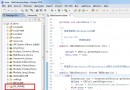
在專案總管中展開 `jQueryDemo > WebContent` (或 `src/main/webapp` 若為 Maven 結構),將下載解壓縮後的**所有檔案** (HTML、CSS、JS、圖片、lib 目錄等) **完整複製** 到此目錄下。
jQueryDemo/
└── WebContent/
    ├── index.html          <-- 你的入口頁面
    ├── css/
    │   └── style.css
    ├── js/
    │   ├── jquery-3.6.0.min.js
    │   └── demo.js
    └── images/
        └── logo.png
原始 Demo 可能使用相對路徑 `./js/jquery.js` 或絕對路徑 `/js/jquery.js`。在 Web 專案中,**請統一使用相對專案根目錄的路徑**,並在 `
` 中加入 `<!-- 方式 1: 使用 base 標籤 (最簡單) -->
<head>
<base href="<%=request.getContextPath()%>/">
<script src="js/jquery-3.6.0.min.js"></script>
</head>
<!-- 方式 2: JSP 頁面使用 pageContext (推薦) -->
<script src="<%=request.getContextPath()%>/js/jquery-3.6.0.min.js"></script>
| 現象 | 原因與解決 |
|---|---|
| 404 Not Found | 檢查 URL 中 context path 是否正確 (專案名稱)、檔案是否確實在 WebContent 下、Tomcat 是否已發布最新資源 |
| jQuery 未載入 / $ is not defined | 檢查 `
Copyright © 程式碼之家 All Rights Reserved
|