核心功能拆解
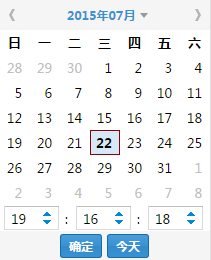
- 公曆日期選擇 → 計算農曆日期
- 雙向聯動:修改任一曆法,另一同步更新
- 計算兩日期間的時間差(年/月/日/時/分/秒)
推薦架構:核心庫 + 薄適配層
<!-- 引入成熟農曆庫 -->
<script src="https://cdn.jsdelivr.net/npm/lunar-javascript@1.6.0/dist/lunar.min.js"></script>

<script>
// ===== 核心轉換邏輯 =====
function solarToLunar(y, m, d) {
    return Solar.fromYmd(y, m, d).getLunar();
}

function lunarToSolar(ly, lm, ld, leap) {
    return Lunar.fromYmd(ly, lm, ld, leap).getSolar();
}

// ===== 時間差計算 =====
function getDiff(date1, date2) {
    const diff = Math.abs(date2.getTime() - date1.getTime());
    return {
        years: Math.floor(diff / (365.25*24*3600*1000)),
        months: Math.floor(diff / (30.44*24*3600*1000)),
        days: Math.floor(diff / (24*3600*1000)),
        hours: Math.floor(diff / (3600*1000)),
        minutes: Math.floor(diff / (60*1000)),
        seconds: Math.floor(diff / 1000)
    };
}

// ===== UI 聯動控制器 =====
class CalendarSync {
    constructor(solarSel, lunarSel, diffEl) {
        this.solar = document.querySelector(solarSel);
        this.lunar = document.querySelector(lunarSel);
        this.diff = document.querySelector(diffEl);
        this.bindEvents();
    }

    bindEvents() {
        this.solar.addEventListener('change', () => this.onSolarChange());
        this.lunar.addEventListener('change', () => this.onLunarChange());
    }

    onSolarChange() {
        const [y, m, d] = this.solar.value.split('-').map(Number);
        const lunar = solarToLunar(y, m, d);
        this.updateLunarUI(lunar);
        this.updateDiff(new Date(y, m-1, d));
    }

    onLunarChange() {
        // 解析農曆輸入...
        const solar = lunarToSolar(ly, lm, ld, leap);
        this.updateSolarUI(solar);
        this.updateDiff(new Date(solar.getYear(), solar.getMonth()-1, solar.getDay()));
    }

    updateDiff(baseDate) {
        const now = new Date();
        const d = getDiff(baseDate, now);
        this.diff.textContent = `相差 ${d.days}天 ${d.hours}小時 ${d.minutes}分 ${d.seconds}秒`;
    }
}

// 初始化
new CalendarSync('#solar-date', '#lunar-date', '#diff-display');
</script>
關鍵技術點
| 模塊 | 關鍵點 |
|---|
| 農曆算法 | **嚴禁手寫**,使用 `lunar-javascript`、`calendar.js` 等驗證庫 |
| 日期解析 | 統一用 `new Date(year, month-1, day)` 構造,避免字符串解析差異 |
| 時間差 | 基於毫秒時間戳 `getTime()`,轉換單位時注意閏年/月長度差異 |
| UI 同步 | 單向數據流:用戶操作 → 核心轉換 → 更新所有視圖 |
參考資源