[2015-12-18 20:13:37 - android_textview1]
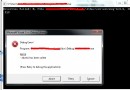
res\drawable-hdpi-v4\image (1).png: Invalid file name: must contain only [a-z0-9_.]
Android 資源文件名**只允許小寫字母、數字、下劃線、點** (`[a-z0-9_.]`)。**空格、括號、大寫、中文、特殊符號均非法**。
| 非法文件名 | 問題 | 修正建議 |
|---|---|---|
| `image (1).png` | 空格、括號 | `image_1.png` |
| `Image_1.png` | 大寫 | `image_1.png` |
| `圖片1.png` | 中文 | `pic_1.png` |
| `image-1.png` | 連字符 | `image_1.png` |
| `image@2x.png` | @ 符號 | `image_2x.png` |
# Linux/macOS (bash)
for f in res/drawable-*/*.png; do
    new=$(echo "$f" | sed 's/[^a-z0-9_.]/_/g' | sed 's/__*/_/g')
    [ "$f" != "$new" ] && mv "$f" "$new"
done

# Windows PowerShell
Get-ChildItem -Recurse -Filter *.png | ForEach-Object {
    $new = $_.Name -replace '[^a-z0-9_.]', '_' -replace '_+', '_'
    if ($_.Name -ne $new) { Rename-Item $_.FullName -NewName $new }
}
// 修正前
Drawable drawable = getResources().getDrawable(getResourceId("image(1)"));

// 修正後
// 1. 文件重命名為 image_1.png
// 2. 代碼引用
Drawable drawable = getResources().getDrawable(getResourceId("image_1"));

// getResourceId 實現
public int getResourceId(String name) {
    try {
        Field field = R.drawable.class.getField(name);
        return field.getInt(null);
    } catch (Exception e) {
        return 0;
    }
}
String html = "艾斯 海賊..."; // src 對應 drawable 名稱(無後綴)
Html.fromHtml(html, new Html.ImageGetter() {
@Override
public Drawable getDrawable(String source) {
// source = "image_1"
int resId = getResourceId(source);
if (resId == 0) return null;
Drawable d = getResources().getDrawable(resId);
d.setBounds(0, 0, d.getIntrinsicWidth(), d.getIntrinsicHeight());
return d;
}
}, null);
**資源文件名嚴格限制 `[a-z0-9_.]`**。`image (1).png` → `image_1.png`,同步修正代碼中的字符串引用。養成「全小寫、下劃線分隔、無特殊字符」的命名習慣,避免 R 文件生成失敗導致項目無法編譯。