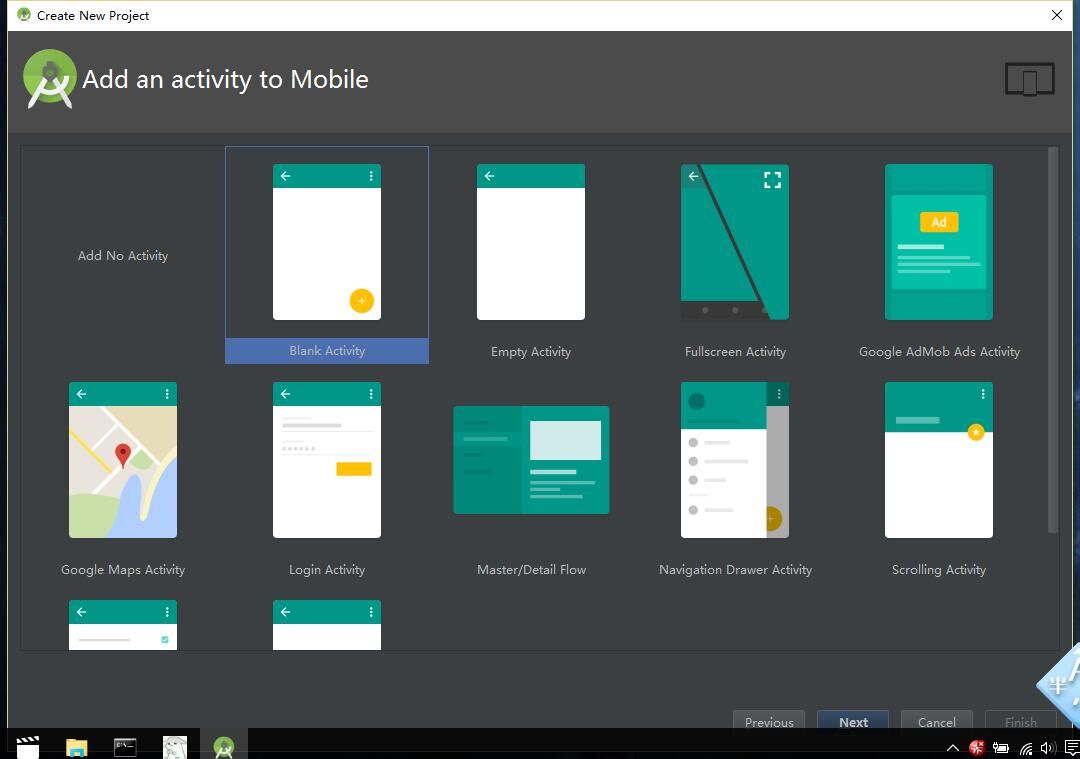
Android Studio 新建專案或 Activity 時,範本列表中找不到 Fragment 選項。即使手動撰寫 Fragment 程式碼,IDE 仍報錯無法識別。
androidx.fragment:fragment在 build.gradle (Module: app) 加入:
dependencies {
    implementation "androidx.fragment:fragment:1.6.2"
    implementation "androidx.fragment:fragment-ktx:1.6.2"  // Kotlin 專用
}
同步後重啟 AS,即可使用 Fragment 相關類別。
public class MyFragment extends Fragment {
    @Override
    public View onCreateView(LayoutInflater inflater, ViewGroup container, Bundle savedInstanceState) {
        return inflater.inflate(R.layout.fragment_my, container, false);
    }
}
對應佈局檔 res/layout/fragment_my.xml:
<?xml version="1.0" encoding="utf-8"?>
<FrameLayout xmlns:android="https://schemas.android.com/apk/res/android"
    android:layout_width="match_parent"
    android:layout_height="match_parent">
    <TextView
        android:layout_width="wrap_content"
        android:layout_height="wrap_content"
        android:text="Hello Fragment!" />
</FrameLayout>
File → Invalidate Caches / Restart → Invalidate and Restart
詳細圖文步驟:Android Studio Fragment 使用完整教學
Fragment 是 Android 現代化架構核心組件,正確配置環境是開發第一步。