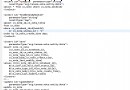
實現類似「列表頂部固定標題、底部固定按鈕、中間數據列表可滑動」的界面,要求封裝為單一可復用 View。
不繼承 `ListView` 重寫佈局,而是構建一個垂直 `LinearLayout` 容器,內含三個子 View:
<LinearLayout
    android:layout_width="match_parent"
    android:layout_height="match_parent"
    android:orientation="vertical">

    <!-- 固定頭部 -->
    <ViewStub /> 或 <include layout="@layout/header" />

    <!-- 中間可滑動列表 (核心) -->
    <ListView
        android:id="@+id/list_content"
        android:layout_width="match_parent"
        android:layout_height="0dp"
        android:layout_weight="1" />

    <!-- 固定尾部 -->
    <include layout="@layout/footer" />

</LinearLayout>
public class FixedHeaderFooterListView extends LinearLayout {
    private ListView listView;
    private View headerView, footerView;

    public FixedHeaderFooterListView(Context context, AttributeSet attrs) {
        super(context, attrs);
        init(context);
    }

    private void init(Context context) {
        setOrientation(VERTICAL);
        LayoutInflater.from(context).inflate(R.layout.fixed_header_footer_list, this, true);
        listView = findViewById(R.id.list_content);
        headerView = findViewById(R.id.header_container);
        footerView = findViewById(R.id.footer_container);
    }

    // 對外暴露 ListView 核心功能
    public void setAdapter(ListAdapter adapter) { listView.setAdapter(adapter); }
    public void setOnItemClickListener(AdapterView.OnItemClickListener l) { listView.setOnItemClickListener(l); }
    public ListView getListView() { return listView; }

    // 設置自定義頭部/尾部 View
    public void setHeaderView(View view) {
        ViewGroup container = findViewById(R.id.header_container);
        container.removeAllViews();
        container.addView(view);
    }
    public void setFooterView(View view) { /* 類似實現 */ }
}
若需頭部尾部也能滑動但達到邊緣時固定,請使用 `RecyclerView` + `StickyHeaderItemDecoration` 或第三方庫(如 `SmartRefreshLayout`),原生 `ListView` 實現極其複雜且有缺陷。