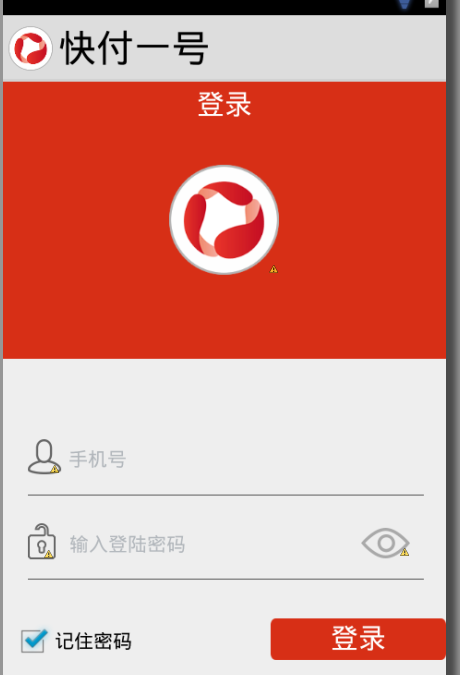
在 styles.xml 主題中設置 <item name="android:windowTitleSize">80dp</item>,但 Toolbar/ActionBar 高度**無變化**。
android:windowTitleSize 僅作用於**傳統 Window 標題欄** (Window.FEATURE_TITLE),**不適用於** Toolbar (AppCompat) 或 ActionBar。Toolbar 作為 ActionBar 替代品,其高度由**佈局 XML 中的 layout_height 屬性**直接決定。<androidx.appcompat.widget.Toolbar
android:id="@+id/toolbar"
android:layout_width="match_parent"
android:layout_height="?attr/actionBarSize" <!-- 關鍵:引用主題屬性,默認 56dp (Material) -->
android:background="?attr/colorPrimary"
app:popupTheme="@style/AppTheme.PopupOverlay" />
android:layout_height="80dp" <!-- 直接寫死尺寸 -->
<!-- values/attrs.xml -->
<resources>
    <attr name="customToolbarHeight" format="dimension" />
</resources>

<!-- values/styles.xml -->
<style name="AppTheme" parent="Theme.AppCompat.Light.NoActionBar">
    <item name="customToolbarHeight">80dp</item>
</style>

<!-- 佈局中 -->
android:layout_height="?attr/customToolbarHeight"
<style name="AppTheme" parent="Theme.AppCompat.Light">
    <item name="actionBarSize">80dp</item> <!-- 修改 actionBarSize 屬性 -->
</style>
但**強烈建議遷移到 Toolbar**,功能更強、可定製性更高、符合 Material Design 規範。
| 誤區 | 正確認知 |
|---|---|
| styles.xml 改 windowTitleSize | 僅對舊版 Window Title 有效,對 Toolbar/ActionBar 無效 |
| 以為 Toolbar 高度由主題全局控制 | Toolbar 是普通 ViewGroup,高度由 layout_height 決定 |
| 直接在 Java 代碼 setHeight | 不推薦,佈局階段確定尺寸更穩定,代碼動態改易導致測量佈局抖動 |
Toolbar 高度設置不生效,是因為改錯了屬性。 **直接在 Toolbar XML 佈局中修改 android:layout_height** 即可 (固定 dp 或引用 ?attr/actionBarSize / 自定義屬性)。拋棄 windowTitleSize,擁抱 Toolbar 佈局屬性控制。