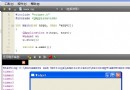
將數字年份(如 2015)轉為漢字顯示(二〇一五),用於日期選擇器的年份下拉選單,提升中文用戶體驗。
/**
 * 數字字符串轉漢字數字
 * @param {number|string} v - 數字或數字字符串
 * @returns {string} 漢字表示,如 "二〇一五"
 */
function toCNNumber(v) {
    const cn = '〇一二三四五六七八九'; // 注意:用 〇 而非 O
    return String(v).split('').map(ch => cn[parseInt(ch, 10)]).join('');
}

// 測試
console.log(toCNNumber(2015)); // "二〇一五"
console.log(toCNNumber('2024')); // "二〇二四"關鍵點:使用 〇 (U+3007) 而非字母 O,語義正確且排版美觀。
<script>
function toCNNumber(v) {
    const cn = '〇一二三四五六七八九';
    return String(v).split('').map(ch => cn[parseInt(ch, 10)]).join('');
}

const now = new Date();
const curYear = now.getFullYear();
const RANGE = 20; // 前後 20 年

let cnOpts = '', numOpts = '';
for (let y = curYear - RANGE; y <= curYear + RANGE; y++) {
    cnOpts += `<option value="${y}">${toCNNumber(y)}</option>`;
    numOpts += `<option value="${y}">${y}</option>`;
}

// 月份、日期選項(純數字即可)
let monthOpts = '', dayOpts = '';
for (let m = 1; m <= 12; m++) monthOpts += `<option value="${m}">${m}</option>`;
for (let d = 1; d <= 31; d++) dayOpts += `<option value="${d}">${d}</option>`;
</script>

<!-- 漢字年份選擇器 -->
<select id="yearCN"><script>document.write(cnOpts)</script></select> 年
<select id="month"><script>document.write(monthOpts)</script></select> 月
<select id="day"><script>document.write(dayOpts)</script></select> 日

<!-- 純數字年份選擇器(對比) -->
<select id="yearNum"><script>document.write(numOpts)</script></select> 年若需顯示「甲子年」「乙丑年」等干支紀年,需引入農歷庫(如 lunar-javascript):
import Lunar from 'lunar-javascript';
const lunar = Lunar.fromDate(new Date());
console.log(lunar.getYearInGanZhi()); // "甲辰年" (2024)
console.log(lunar.getYearShengXiao()); // "龍"| 問題 | 解決 |
|---|---|
| 用字母 O 代替 〇 | 嚴格使用 U+3007 圓圈字符,語義正確、字體渲染一致 |
| document.write 阻塞渲染 | 現代項目改用 select.innerHTML = cnOpts 或框架綁定 |
| 月份/日期未聯動校驗 | 用 new Date(year, month, 0).getDate() 獲取當月天數動態更新 |
| 舊瀏覽器不支持 const/箭頭函數 | 構建時用 Babel 轉譯,或寫 ES5 兼容寫法 |
支援萬/億單位、小數、負數的完整實現可參考 number-to-chinese npm 包或自行實現分段轉換邏輯。