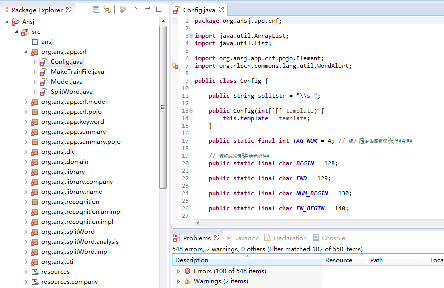
MyEclipse 中新建 Web 項目 text,Tomcat 啟動正常,訪問 https://localhost:8080 顯示默認頁面,但訪問 https://localhost:8080/text/index.jsp 返回 404。
WebRoot/WEB-INF/web.xml 是否存在且配置正確。.settings/org.eclipse.wst.common.component 中 wb-module 的 context-root 是否為 text。text。index.jsp 必須位於 WebRoot/ 目錄下(或 src/main/webapp/ 若為 Maven 結構),而非 WEB-INF/ 內部。Index.jsp ≠ index.jsp。Deploying web application archive .../text.war 或 Deploying web application directory .../text。wtpwebapps/text/ 目錄下是否有 index.jsp。原問題中 http://localhost:8080/text/index.jsp 使用全角冒號 :,正確應為半角 https://localhost:8080/text/index.jsp。
netstat -ano | findstr 8080)。text 模塊 Path 為 /text。
3. 瀏覽器訪問 https://localhost:8080/text/(以斜槓結尾)嘗試默認歡迎頁面。
4. 若仍 404,刪除 Server 視圖中的 Tomcat 實例重新添加,清理工作目錄。
90% 的 404 問題源於上下文路徑不匹配或文件未正確部署到 WebRoot。按上述清單逐項排查可快速定位。