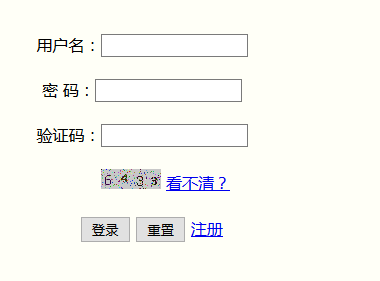
每次點擊「選擇」按鈕都 `new AlertDialog.Builder(...).create()`,快速多次點擊導致多個 Dialog 疊加,系統拋出 `WindowManager$BadTokenException` 或 ANR。
public class MainActivity extends Activity implements View.OnClickListener {
    private AlertDialog mLoginDialog; // 成員變量
    private View mLoginView;

    @Override
    protected void onCreate(Bundle savedInstanceState) {
        super.onCreate(savedInstanceState);
        setContentView(R.layout.activity_main);
        LayoutInflater inflater = LayoutInflater.from(this);
        mLoginView = inflater.inflate(R.layout.login, null);
        findViewById(R.id.bt1).setOnClickListener(this);
    }

    @Override
    public void onClick(View v) {
        if (v.getId() == R.id.bt1) {
            if (mLoginDialog == null) {
                mLoginDialog = new AlertDialog.Builder(this)
                    .setTitle("用戶登錄")
                    .setView(mLoginView)
                    .setPositiveButton("確定", null)
                    .setNegativeButton("取消", null)
                    .create();
            }
            mLoginDialog.show();
        }
    }
}