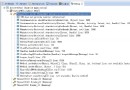
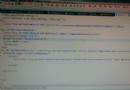
Android 開發新手在嘗試頁面跳轉時遭遇執行錯誤,Logcat 顯示活動啟動異常。專案中定義了兩個 Activity,且兩者在 AndroidManifest.xml 中都宣告了 <intent-filter> 包含 MAIN 與 LAUNCHER 動作。
<intent-filter> 標籤僅能存在於**單一**作為應用程式進入點的 Activity 中。若多個 Activity 同時宣告 android.intent.action.MAIN 與 android.intent.category.LAUNCHER,系統無法判斷真正的啟動頁面,導致編譯或執行階段失敗。
AndroidManifest.xml。<activity> 標籤,確保**僅有主啟動 Activity**(通常是 MainActivity)包含以下區塊:<intent-filter>
<action android:name="android.intent.action.MAIN" />
<category android:name="android.intent.category.LAUNCHER" />
</intent-filter><intent-filter> 區塊。Intent 明確指定目標類別即可,無需在 Manifest 宣告啟動過濾器。