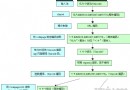
MSWC.ContentRotator 實例ChooseContent 或 GetAllContent 顯示%%#n//註解
顯示內容(HTML、腳本、物件標記均可)n:顯示權重(預設 1),值越大機率越高| 方法 | 說明 |
|---|---|
| ChooseContent(file) | 隨機選取一條目顯示 |
| GetAllContent(file) | 顯示所有條目,以 <hr> 分隔 |
main.htm 雙框架,左側個人首頁,右側 right.asp 載入輪播內容:
<frameset cols="250,*">
  <frame src="home.asp" name="left">
  <frame src="right.asp" name="right">
</frameset>right.asp:
<%
Set MyContent = Server.CreateObject("MSWC.ContentRotator")
Response.Write MyContent.ChooseContent("ss.txt")
Set MyContent = Nothing
%>
ss.txt 內容排程:
%%#2//圖片超連結
<a href="https://www.163.com"><img src="3.gif"></a>

%%#2//格式化詩句
<center><font face="楷體_GB2312" size="6" color="red">
<p>白日依山盡,黃河入海流。</p>
<p>欲窮千里目,更上一層樓。</p></font></center>

%%#1//嵌入 Flash
<embed src="a.swf" width="500" height="450"></embed>
內容輪播組件支援任意 HTML 片段,靈活度極高,適合動態內容區塊建置。