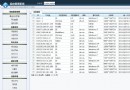
在 ASP.NET GridView 中,常見的需求是為「取消」與「刪除」操作加上確認對話框,防止使用者誤觸。若直接對儲存格(Cell)綁定 onclick 事件,使用者只要點擊儲存格任意位置就會觸發提示,體驗極差。
<asp:HyperLinkField DataNavigateUrlFields="id" DataNavigateUrlFormatString="HospitalView.aspx?id={0}"
    DataTextField="id" DataTextFormatString="取消" HeaderText="取消" ... />
<asp:CommandField ShowDeleteButton="True" DeleteText="刪除" HeaderText="刪除" ... />
// 後台 RowDataBound 中
e.Row.Cells[6].Attributes.Add("onclick", "return confirm('您確認要取消嗎?')");
e.Row.Cells[7].Attributes.Add("onclick", "return confirm('您確認要刪除這條數據嗎?')");
此做法會導致點擊儲存格空白處也彈出確認框,不符合直覺操作。
針對 HyperLinkField 與 CommandField 產生的實際控制項(HyperLink、LinkButton)加上確認邏輯:
// 取消超連結
((HyperLink)e.Row.Cells[6].Controls[0]).Attributes.Add("onclick", "return confirm('您確認要取消嗎?')");
// 刪除連結按鈕
((LinkButton)e.Row.Cells[7].Controls[0]).Attributes.Add("onclick", "return confirm('您確認要刪除這條數據嗎?')");
HyperLinkField 轉譯為 HyperLink 控制項,位於 Controls[0]。CommandField 的刪除按鈕轉譯為 LinkButton,同樣在 Controls[0]。onclick,只有點擊文字才會觸發,體驗自然。針對 GridView 模板欄位的確認提示,務必找到實際轉譯的控制項綁定事件,避免綁定至儲存格層級造成誤觸。