將動態頁面(如 `/User/Default.aspx?link=123`)對外呈現為靜態風格 URL(如 `/123.html`),利於 SEO、書籤分享、隱藏技術細節。URLRewriter 是經典 .NET 組件,透過 HTTP Module 攔截請求、內部重寫路徑實現。
/bin` 目錄IIS 6 / 傳統模式:
.html`,可執行檔 `C:\Windows\Microsoft.NET\Framework\v2.0.50727\aspnet_isapi.dll`IIS 7+ 整合模式(推薦):在 `web.config` 直接配置,無需 IIS 介面操作:
<system.webServer>
  <handlers>
    <add name="HTMLHandler" path="*.html" verb="*"
         type="System.Web.StaticFileHandler" preCondition="integratedMode" />
    <!-- 或對應到 ASP.NET 處理器 -->
    <add name="AspNetHtml" path="*.html" verb="*"
         type="System.Web.UI.PageHandlerFactory" preCondition="integratedMode" />
  </handlers>
</system.webServer>
<configSections>
  <section name="RewriterConfig"
           type="URLRewriter.Config.RewriterConfigSerializerSectionHandler, URLRewriter" />
</configSections>

<RewriterConfig>
  <Rules>
    <RewriterRule>
      <LookFor>~/(\d+)\.html</LookFor>
      <SendTo>~/User/Default.aspx?link=$1</SendTo>
    </RewriterRule>
    <!-- 更多規則... -->
  </Rules>
</RewriterConfig>

<system.web>
  <httpModules>
    <add name="URLRewriter" type="URLRewriter.ModuleRewriter, URLRewriter" />
  </httpModules>
  <httpHandlers>
    <add verb="*" path="*.aspx" type="URLRewriter.RewriterFactoryHandler, URLRewriter" />
    <add verb="*" path="*.html" type="URLRewriter.RewriterFactoryHandler, URLRewriter" />
  </httpHandlers>
</system.web>

<system.webServer> <!-- IIS 7+ -->
  <modules>
    <add name="URLRewriter" type="URLRewriter.ModuleRewriter, URLRewriter" preCondition="managedHandler" />
  </modules>
  <validation validateIntegratedModeConfiguration="false" />
</system.webServer>
LookFor`:匹配外部請求 URL(含 `~/` 代表應用程式根目錄)SendTo`:內部重寫目標 URL,`$1`、`$2` 對應捕獲組編輯 `conf/httpd.conf`,取消註釋或新增:
LoadModule rewrite_module modules/mod_rewrite.so
<IfModule mod_rewrite.c>
  RewriteEngine On
  # /123.html -> /user.php?user=123
  RewriteRule ^/([0-9]+)\.html$ /user.php?user=$1 [L]
</IfModule>
^`:開頭;`$`:結尾[L]`:Last,匹配後停止後續規則VirtualHost` 區塊;共享主機放 `.htaccess`# Ubuntu/Debian
sudo systemctl restart apache2
# CentOS/RHEL
sudo systemctl restart httpd
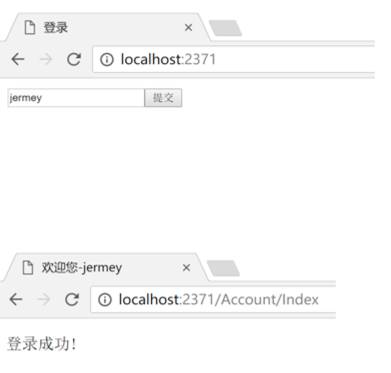
https://localhost/123.html`/User/Default.aspx?link=123` 或 `/user.php?user=123`app.UseRewriter()` + `RewriteOptions`,無需第三方 DLLweb.config` `<rewrite>` 區段RouteConfig` / `Attribute Routing` 直接設計乾淨 URL,無需偽靜態`URLRewriter` 是 ASP.NET 2.0/3.5 時代偽靜態的經典方案,核心在於 **IIS 映射副檔名 + HTTP Module 攔截重寫**。現代專案請優先採用原生路由或 IIS URL Rewrite 模組,僅在維護舊專案時使用本文配置。