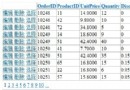
參考 aspnetpager 開發的輕量級分頁控制項 YsmPager,核心功能:
UpdatePanel 即可運作
<!-- 頁面註冊 -->
<%@ Register Assembly="YSM.AspNetPager" Namespace="YSM.AspNetPager" TagPrefix="cc1" %>

<!-- 或 web.config 全域註冊 -->
<system.web>
  <pages>
    <controls>
      <add tagPrefix="cc1" namespace="YSM.AspNetPager" assembly="YSM.AspNetPager" />
    </controls>
  </pages>
</system.web>
<cc1:YsmPager ID="YsmPager1" runat="server"
    PageSize="10"
    OnPageChanged="YsmPager1_PageChanged"
    CssClass="yahoo"
    CurrentPageButtonClass="current"
    DisabledButtonClass="disabled" />
// 後端
protected void YsmPager1_PageChanged(object sender, EventArgs e)
{
    int page = YsmPager1.CurrentPageIndex; // 1-based
    BindGrid(page);
}
<cc1:YsmPager ID="YsmPager2" runat="server"
    PageSize="10"
    UrlPaging="true"
    UrlPageIndexName="page" />
產生連結如:/ProductList.aspx?page=3。後端讀取 Request.QueryString["page"] 即可。
<cc1:YsmPager ID="YsmPager3" runat="server"
    PageSize="10"
    UrlRewriting="true"
    UrlRewritePattern="product-list-{0}-cid{1}.html" />
模板語法:
{0}:自動替換為頁碼[參數名]:保留其他查詢參數,如 cid、keyword產生連結:/product-list-3-cid5.html。需配合 IIS URL Rewrite 模組或 `Global.asax` 路由對應回實體頁面。
| 屬性 | 型別 | 預設值 | 說明 |
|---|---|---|---|
PageSize | int | 10 | 每頁筆數 |
CurrentPageIndex | int | 1 | 當前頁碼 (1-based) |
RecordCount | int | 0 | 必填:總筆數,決定總頁數與導覽顯示 |
PageCount | int | 唯讀 | 總頁數 = Ceiling(RecordCount / PageSize) |
UrlPaging | bool | false | 啟用 URL 參數分頁 |
UrlPageIndexName | string | "page" | URL 參數名稱 |
UrlRewriting | bool | false | 啟用 URL 重寫(自動開啟 UrlPaging) |
UrlRewritePattern | string | null | 重寫模板,含 {0} 與 [參數] |
CssClass | string | null | 最外層容器 CSS Class |
CurrentPageButtonClass | string | null | 當前頁按鈕 CSS Class |
DisabledButtonClass | string | null | 禁用按鈕(首頁/上一頁在第一頁時)CSS Class |
ShowJumpBox | bool | true | 是否顯示跳頁輸入框 |
private void BindGrid(int pageIndex = 1)
{
    int pageSize = YsmPager1.PageSize;
    int totalCount;

    // 1. 查詢當頁資料(資料庫分頁)
    var data = GetProducts(pageIndex, pageSize, out totalCount);

    // 2. 綁定 GridView/Repeater
    GridView1.DataSource = data;
    GridView1.DataBind();

    // 3. 關鍵:設定總筆數,控制項才會正確產生分頁 UI
    YsmPager1.RecordCount = totalCount;
    YsmPager1.CurrentPageIndex = pageIndex; // 同步當前頁(PostBack 模式下通常自動維護)
}
/* Yahoo 風格 */
.yahoo { font-family: Arial; font-size: 12px; padding: 5px; }
.yahoo a, .yahoo span { display: inline-block; padding: 2px 6px; margin: 0 2px; border: 1px solid #ccc; text-decoration: none; color: #333; }
.yahoo .current { background: #333; color: #fff; border-color: #333; font-weight: bold; }
.yahoo .disabled { color: #999; border-color: #eee; cursor: not-allowed; }
.yahoo .jump-box { width: 30px; text-align: center; }
YsmPager 以輕量程式碼實現企業級分頁需求:三模式切換、Ajax 友善、SEO 優化、樣式完全可控。下載原始碼後可依專案需求擴充(如加入每頁筆數下拉選單、總筆數顯示格式化等)。