使用者完成關鍵操作 (如修改密碼) 後,顯示倒數計時提示並在幾秒後自動導向首頁,同時提供手動連結供立即跳轉或返回。
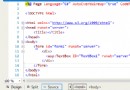
<%@ Page Language="C#" AutoEventWireup="true" CodeFile="LoginTiao.aspx.cs" Inherits="LoginTiao" %>
<!DOCTYPE html>
<html xmlns="https://www.w3.org/1999/xhtml">
<head>
    <title>頁面導向中...</title>
    <script type="text/javascript">
        var countdown = 5;
        var targetUrl = "XXXXX/Home.aspx"; // 目標網址
        var backUrl = "Login.aspx";        // 返回網址

        window.onload = function tick() {
            var el = document.getElementById("time");
            if (el) el.innerText = countdown;

            if (countdown === 0) {
                window.location.href = targetUrl; // 修正:原碼用 href() 導致錯誤
                return;
            }

            countdown--;
            setTimeout(tick, 1000);
        };
    </script>
</head>
<body>
    <form id="form1" runat="server">
        <div style="font-size: small; text-align: center; padding: 2rem;">
            <p>密碼修改成功,請妥善保管!</p>
            <p>
                <span id="time" style="font-weight: bold; color: blue;">5</span> 秒後自動跳轉至
                <a href="<%= targetUrl %>">系統首頁</a>...
            </p>
            <p>或 <a href="<%= backUrl %>">立即返回登入頁</a></p>
        </div>
    </form>
</body>
</html>window.location.href("url") 錯誤,應為 window.location.href = "url" 或 window.location.assign("url")。window.onload 內部函式,不汙染全域命名空間。targetUrl、backUrl 便於維護,實際專案可從後端 Request.QueryString 或設定檔注入。// C# 後端代碼
Response.Redirect("LoginTiao.aspx");| 需求 | 實作方向 |
|---|---|
| 動態倒數秒數 | QueryString 傳遞 ?seconds=10,前端 new URLSearchParams(location.search).get('seconds') 讀取 |
| 導向前清理資源 | 頁面 onbeforeunload 觸發 AJAX 登出/釋放鎖定 |
| 現代化 UI | 套用 Bootstrap Alert + Progress Bar,或改用 setInterval 更新進度條 |
| 單頁應用 (SPA) 整合 | 改為元件化倒數元件,配合 Router 導航,不需獨立頁面 |
此方案零依賴、瀏覽器相容性極佳 (IE9+)、部署簡單,適合快速落地傳統 ASP.NET Web Forms 專案。