Resource,加入資源檔 AppString.resx(預設語言)。AppString.en-US.resx(英文)、AppString.zh-CN.resx(簡體中文)。AppString.resx 的存取修飾詞設為 Public,並確認其對應的 .cs 檔案中類別修飾詞也為 public。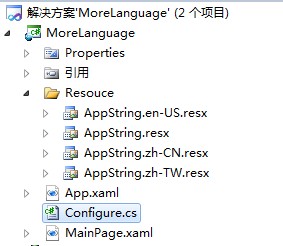
開啟 App.xaml,加入資源參考,供其他頁面繫結使用:
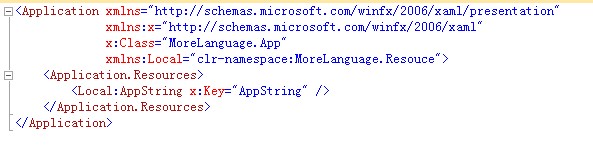
在 XAML 頁面中即可透過 {Binding Source={StaticResource AppStrings}, Path=KeyName} 方式繫結顯示多語言文字:
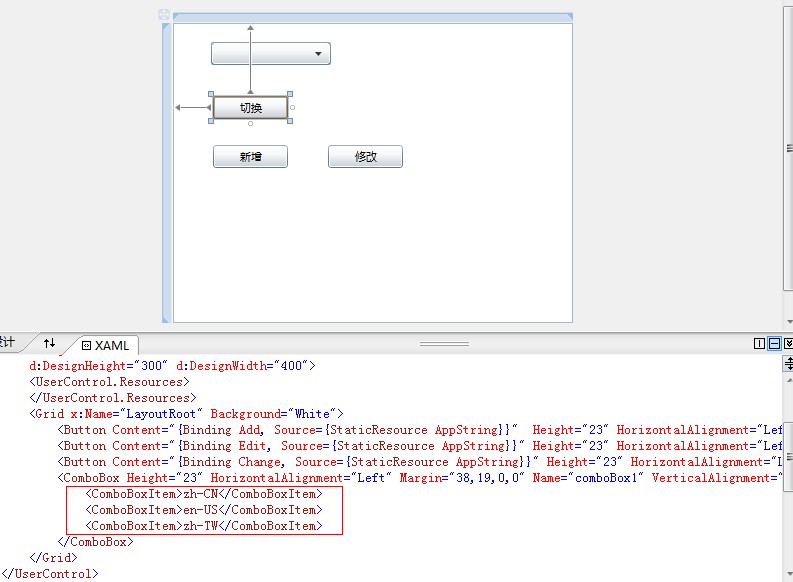
利用 IsolatedStorageSettings 儲存使用者選擇的語言,實現跨工作階段記憶:
public class Configure
{
    static System.Globalization.CultureInfo currentCulture;

    public static System.Globalization.CultureInfo CurrentCulture
    {
        get
        {
            if (currentCulture == null)
            {
                try
                {
                    var appSetting = System.IO.IsolatedStorage.IsolatedStorageSettings.ApplicationSettings;
                    if (appSetting.Contains("language"))
                        currentCulture = new System.Globalization.CultureInfo((string)appSetting["language"]);
                }
                catch { }
            }
            if (currentCulture == null)
                currentCulture = new System.Globalization.CultureInfo("en-us");
            return currentCulture;
        }
        set
        {
            currentCulture = value;
            System.Threading.Thread.CurrentThread.CurrentCulture = currentCulture;
            System.Threading.Thread.CurrentThread.CurrentUICulture = currentCulture;
            try
            {
                var appSetting = System.IO.IsolatedStorage.IsolatedStorageSettings.ApplicationSettings;
                if (appSetting.Contains("language"))
                {
                    appSetting["language"] = currentCulture.Name;
                    appSetting.Save();
                }
                else
                    appSetting.Add("language", currentCulture.Name);
            }
            catch { }
        }
    }
}
private void button3_Click(object sender, RoutedEventArgs e)
{
    Configure.CurrentCulture = new CultureInfo(comboBox1.SelectionBoxItem.ToString());
}
在 App.xaml.cs 的 Application_Startup 中讀取儲存的語言設定:
private void Application_Startup(object sender, StartupEventArgs e)
{
    CultureInfo culture = Configure.CurrentCulture;
    Thread.CurrentThread.CurrentUICulture = culture;
    Thread.CurrentThread.CurrentCulture = culture;
    this.RootVisual = new MainPage();
}
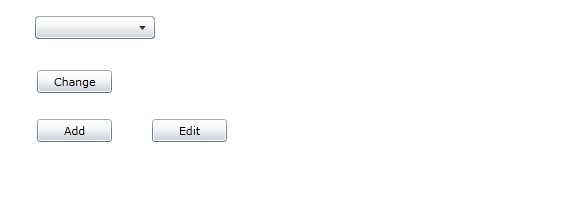
切換語言後需重新啟動應用程式才能生效,並非即時切換。運行效果如下: