ASP.NET Web Forms 開發中,頁面間傳遞資料是基礎且關鍵的技術。本文系統整理五種主流傳值方式:QueryString、Session、Server.Transfer、Application、PostBack (Cross-Page Posting),詳細比較適用場景、優缺點、安全性與程式碼實作,並針對 MasterPage 情境下的 PreviousPage 失效問題提供解決方案。
| 方法 | 資料可見性 | 資料型別支援 | 生命週期 | 適用場景 |
|---|---|---|---|---|
| QueryString | URL 明文可見 | 字串 | 單次請求 | 簡單參數、書籤分享、SEO 需求 |
| Session | 伺服器端,用戶不可見 | 任意物件 | 跨頁面、跨請求 (逾期前) | 使用者狀態、購物車、多步驟精靈 |
| Server.Transfer | URL 不變,用戶不可見 | 任意物件 (透過 PreviousPage) | 單次伺服器端轉向 | 同一應用程式內頁面流程控制 |
| Application | 伺服器端,全域共享 | 任意物件 | 應用程式存活期間 | 全站公告、快取資料、計數器 |
| Cross-Page Post | 表單隱藏欄位 | 字串/表單欄位 | 單次 PostBack | 表單驗證後導向、Wizard 步驟 |
protected void btnSend_Click(object sender, EventArgs e)
{
    string url = $"Default2.aspx?username={Server.UrlEncode(txtName.Text)}&email={Server.UrlEncode(txtEmail.Text)}";
    Response.Redirect(url);
}protected void Page_Load(object sender, EventArgs e)
{
if (!IsPostBack)
{
lblName.Text = Request.QueryString["username"];
lblEmail.Text = Request.QueryString["email"];
}
}優點: 實作簡單、支援書籤、可被搜尋引擎索引。
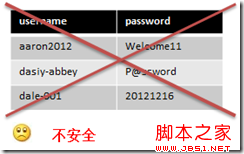
缺點: 長度限制 (~2KB)、明文暴露敏感資訊、易遭竄改、不支援複雜物件。
protected void btnSend_Click(object sender, EventArgs e)
{
    Session["UserName"] = txtName.Text;
    Session["Email"]    = txtEmail.Text;
    Response.Redirect("Default2.aspx");
}protected void Page_Load(object sender, EventArgs e)
{
if (!IsPostBack)
{
lblName.Text = Session["UserName"]?.ToString();
lblEmail.Text = Session["Email"]?.ToString();
// 用畢清理,釋放資源
Session.Remove("UserName");
Session.Remove("Email");
}
}注意: 大量資料存放 Session 會消耗伺服器記憶體,建議搭配 Session.Clear() 或設定適當 timeout。
public partial class SourcePage : System.Web.UI.Page
{
    // 公開屬性供目標頁面存取
    public string UserName => txtName.Text;
    public string Email    => txtEmail.Text;

    protected void btnTransfer_Click(object sender, EventArgs e)
    {
        Server.Transfer("TargetPage.aspx");
    }
}protected void Page_Load(object sender, EventArgs e)
{
if (!IsPostBack)
{
// ASP.NET 2.0+ 強型別 PreviousPage
SourcePage prev = PreviousPage as SourcePage;
if (prev != null)
{
lblName.Text = prev.UserName;
lblEmail.Text = prev.Email;
}
}
}優點: URL 不變、型別安全、可存取來源頁面任何 public 成員。
缺點: 僅限同一應用程式、使用 MasterPage 時 PreviousPage 為 null。
當頁面套用 MasterPage 時,PreviousPage 屬性會失效。替代方案:
Server.Transfer 時保留
// 來源頁面
Context.Items["UserName"] = txtName.Text;
Server.Transfer("TargetPage.aspx");

// 目標頁面
lblName.Text = Context.Items["UserName"]?.ToString();// 寫入 (需鎖定)
Application.Lock();
Application["Announcement"] = "系統將於今晚維護";
Application.UnLock();
// 讀取
lblMsg.Text = Application["Announcement"]?.ToString();適用: 全站公告、線上人數計數、共用快取資料。不適用: 使用者個人資料 (會互相覆蓋)。