System.Net.Mail.SmtpException: 無法取得 IIS 拾取目錄 (Cannot get IIS pickup directory)
   at System.Net.Mail.SmtpClient.InitializePickupDirectory()
   at System.Net.Mail.SmtpClient.Send(MailMessage message)
程式碼使用 `DeliveryMethod = SmtpDeliveryMethod.PickupDirectoryFromIis`,本機開發正常,部署至 Windows Server 2008/2012/2016+ 失敗。
`PickupDirectoryFromIis` 要求:
缺一不可。
// PowerShell 以管理員執行
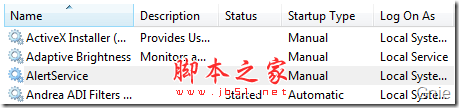
Get-WindowsFeature SMTP-Server | Install-WindowsFeature
Set-Service SMTPSVC -StartupType Automatic
Start-Service SMTPSVC
GUI:伺服器管理員 → 功能 → 添加功能 → SMTP Server。
TCP 25 (SMTP)、TCP 443/587 (若用 SSL/TLS)、UDP 53 (DNS 解析)。
測試:`telnet localhost 25` → 輸入 `HELO localhost` `MAIL FROM:...` `RCPT TO:...` `DATA` `Subject:test` `.` `QUIT`。
ASP.NET 執行身分 (通常為 `IIS_IUSRS` 或自訂 AppPool Identity) **無權讀取 IIS Metabase** 中的 `SmtpSvc` 節點以取得 Pickup 目錄路徑。
預設 Pickup 目錄:`C:\inetpub\mailroot\Pickup`。
確認 `IIS_IUSRS` / AppPool Identity 對此資料夾具備 **寫入/修改** 權限。
var client = new SmtpClient
{
    DeliveryMethod = SmtpDeliveryMethod.SpecifiedPickupDirectory,
    PickupDirectoryLocation = @"C:\EmailPickup", // 自訂目錄,需預先建立並給權限
    UseDefaultCredentials = true
};
client.Send(mail);
優點:不依賴 IIS SMTP 服務設定、不需 Metabase 權限、部署簡單 (XCOPY 部署友善)。
缺點:需自行確保目錄被郵件伺服器 (或背景服務) 定期處理,或改用 `SpecifiedPickupDirectory` 搭配本地 SMTP 服務 (如 hMailServer、Postfix Windows 版) 監聽該目錄。
| 方案 | 優點 | 缺點 |
|---|---|---|
| SmtpClient + 遠端 SMTP (SendGrid, Mailgun, Azure Communication Services, 企業 Exchange) | 無本機服務依賴、高送達率、統計追蹤、API 金鑰認證 | 需網路連通、可能有費用 |
| 本機 hMailServer / Postal / Papercut (開發測試) | 完整 SMTP/IMAP/WebAdmin、支援 Pickup 目錄、免費 | 需安裝維護 |
| 背景佇列 + MailKit 發送 | 非阻塞、重試策略、連線池、跨平台 | 程式碼較多 |