登入成功、操作完成、錯誤提示等頁面,需停留數秒後自動導向目標頁面,並顯示倒數秒數讓使用者知曉剩餘時間,同時提供「立即跳轉」連結。
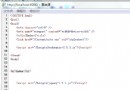
<%@ Page Language="C#" AutoEventWireup="true" CodeFile="Default.aspx.cs" Inherits="_Default" %>
<!DOCTYPE html>
<html xmlns="https://www.w3.org/1999/xhtml">
<head runat="server">
    <title>頁面自動跳轉示範</title>
    <script type="text/javascript">
        var countdown = 5; // 倒數秒數
        var targetUrl = "https://www.baidu.com"; // 目標網址

        window.onload = function startCountdown() {
            var el = document.getElementById("time");
            if (el) el.innerText = countdown;

            if (countdown <= 0) {
                location.replace(targetUrl); // replace 不留歷史記錄
                return;
            }

            countdown--;
            setTimeout(startCountdown, 1000);
        };
    </script>
</head>
<body>
    <form id="form1" runat="server">
        <div id="AutoJumpPage" style="text-align:center; margin-top:50px; font-family:Microsoft JhengHei;">
            <h3>歡迎您</h3>
            <p>本頁將在 <span id="time" style="color:#FF0000; font-weight:bold;"></span> 秒後自動跳轉至
                <a href="https://www.baidu.com" target="_blank">百度</a>
            </p>
            <p>
                如需立即跳轉,請點擊 <a href="https://www.baidu.com" style="color:#FF00FF;">立即跳轉 >></a>
            </p>
        </div>
    </form>
</body>
</html>
| 技術點 | 說明 |
|---|---|
location.replace() | 替換當前歷史記錄,使用者點「上一頁」不會回到倒數頁,體驗更佳 |
setTimeout 遞迴 | 每秒觸發一次,更新 DOM 顯示剩餘秒數 |
window.onload | 確保 DOM 就緒後再啟動計時器 |
| 內聯樣式 | 無需外部 CSS,單檔案即可運行 |
// Default.aspx.cs
protected void Page_Load(object sender, EventArgs e) {
    if (!IsPostBack) {
        // 從 QueryString 或 Session 取得動態參數
        string url = Request.QueryString["returnUrl"] ?? "~/Default.aspx";
        int seconds = 5;
        int.TryParse(Request.QueryString["wait"], out seconds);

        // 註冊啟動腳本,將參數傳給 JS
        string script = $@"
            var countdown = {seconds};
            var targetUrl = '{ResolveClientUrl(url).Replace("'", "\\'")}';
            // ... 其餘 JS 邏輯
        ";
        ClientScript.RegisterStartupScript(this.GetType(), "AutoRedirect", script, true);
    }
}
針對禁用 JavaScript 的極少數使用者,可在 <head> 加入 Meta Refresh:
<meta http-equiv="refresh" content="5;url=https://www.baidu.com" />
<noscript><meta http-equiv="refresh" content="0;url=https://www.baidu.com" /></noscript>
純前端 JavaScript 即可實現優雅的倒數跳轉,核心在於 setTimeout 遞迴更新 UI 與 location.replace 無痕導向。搭配後端動態參數註冊與 Meta Refresh 雙重保障,可滿足 99.9% 實際業務場景。