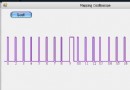
12306 推出的彩色動態驗證碼(字符疊加、持續抖動)讓許多自動識別程式失效。本文實作一個可產生動態 GIF 驗證碼的 ASP.NET 元件,支援自訂字元集、字型、顏色、干擾線、幀延遲等參數,附完整原始碼供下載。
public class Validate {
    // 可配置屬性
    public string AllChar = "1,2,3,4,5,6,7,8,9,0,A,B,C,D,E,F,G,H,I,J,K,L,M,N,O,P,Q,R,S,T,U,W,X,Y,Z";
    public Color DrawColor = Color.BlueViolet;
    public bool FontTextRenderingHint = false;
    public int ImageHeight = 23;
    private byte _validateCodeCount = 4;
    protected string ValidateCode = "";
    public string ValidateCodeFont = "Arial";
    public float ValidateCodeSize = 13f;

    // 驗證碼位數(最小 4)
    public byte ValidateCodeCount {
        get { return _validateCodeCount; }
        set { if (value > 4) _validateCodeCount = value; }
    }

    // 主輸出方法
    public void OutPutValidate(string ValidateCodeSession) {
        CreateValidate();
        CreateImageGif();
        HttpContext.Current.Session[ValidateCodeSession] = this.ValidateCode;
    }

    // 產生隨機驗證碼字串
    private void CreateValidate() {
        this.ValidateCode = "";
        string[] chars = this.AllChar.Split(',');
        Random random = new Random();
        int lastIndex = -1;

        for (int i = 0; i < this.ValidateCodeCount; i++) {
            if (lastIndex != -1)
                random = new Random((i * lastIndex) * (int)DateTime.Now.Ticks);

            int index = random.Next(chars.Length);
            if (index == lastIndex) { CreateValidate(); return; } // 避免相鄰字元重複

            lastIndex = index;
            this.ValidateCode += chars[index];
        }

        if (this.ValidateCode.Length > this._validateCodeCount)
            this.ValidateCode = this.ValidateCode.Substring(0, this._validateCodeCount);
    }

    // 繪製單一幀(BMP)
    private void CreateImageBmp(out Bitmap imageFrame) {
        char[] codeChars = this.ValidateCode.ToCharArray();
        int width = (int)((this._validateCodeCount * this.ValidateCodeSize) * 1.3 + 4);
        imageFrame = new Bitmap(width, this.ImageHeight);

        using (Graphics g = Graphics.FromImage(imageFrame)) {
            g.Clear(Color.White);
            Font font = new Font(this.ValidateCodeFont, this.ValidateCodeSize, FontStyle.Bold);
            Brush brush = new SolidBrush(this.DrawColor);
            int maxY = Math.Max((int)(this.ImageHeight - this.ValidateCodeSize - 3), 2);
            Random rand = new Random();

            for (int i = 0; i < this._validateCodeCount; i++) {
                int x = (int)(i * this.ValidateCodeSize) + rand.Next(1) + 3;
                int y = rand.Next(maxY);
                Point pt = new Point(x, y);

                g.TextRenderingHint = this.FontTextRenderingHint
                    ? TextRenderingHint.SingleBitPerPixel
                    : TextRenderingHint.AntiAlias;
                g.DrawString(codeChars[i].ToString(), font, brush, pt);
            }
        }
    }

    // 繪製干擾線
    private void DisposeImageBmp(ref Bitmap imageFrame) {
        using (Graphics g = Graphics.FromImage(imageFrame)) {
            Pen pen = new Pen(this.DrawColor, 1f);
            Random rand = new Random();
            for (int i = 0; i < 15; i++) {
                Point p1 = new Point(rand.Next(imageFrame.Width), rand.Next(imageFrame.Height));
                Point p2 = new Point(rand.Next(imageFrame.Width), rand.Next(imageFrame.Height));
                g.DrawLine(pen, p1, p2);
            }
        }
    }

    // 產生動態 GIF(多幀疊加)
    private void CreateImageGif() {
        AnimatedGifEncoder encoder = new AnimatedGifEncoder();
        MemoryStream ms = new MemoryStream();

        encoder.Start();
        encoder.SetDelay(5);      // 幀延遲 50ms
        encoder.SetRepeat(0);     // 無限循環

        for (int i = 0; i < 10; i++) { // 產生 10 幀
            Bitmap bmp;
            CreateImageBmp(out bmp);
            DisposeImageBmp(ref bmp);

            bmp.Save(ms, ImageFormat.Png);
            encoder.AddFrame(Image.FromStream(ms));
            ms = new MemoryStream(); // 重置串流供下一幀
        }

        encoder.OutPut(ref ms);
        HttpContext.Current.Response.ClearContent();
        HttpContext.Current.Response.ContentType = "image/gif";
        HttpContext.Current.Response.BinaryWrite(ms.ToArray());
        ms.Close();
        ms.Dispose();
    }
}
需引用 AnimatedGifEncoder.cs(開源 GIF 編碼器,可從 GitHub 取得),支援 Start()、SetDelay()、AddFrame()、OutPut() 方法。
public class ValidateCode : IHttpHandler {
    public void ProcessRequest(HttpContext context) {
        Validate v = new Validate();
        v.ValidateCodeCount = 4;
        v.ValidateCodeSize = 14;
        v.ImageHeight = 28;
        v.DrawColor = Color.DarkBlue;
        v.ValidateCodeFont = "Tahoma";
        v.OutPutValidate("ValidateCode"); // Session Key
    }
    public bool IsReusable { get { return false; } }
}
看不清?換一張
if (Session["ValidateCode"] != null
    && Request.Form["txtCode"].ToUpper() == Session["ValidateCode"].ToString().ToUpper()) {
    // 驗證通過
} else {
    // 驗證失敗
}

| 屬性 | 說明 | 建議值 |
|---|---|---|
| AllChar | 字元集(逗號分隔) | 排除易混淆字元(0/O, 1/I, 8/B) |
| ValidateCodeCount | 驗證碼長度 | 4-6 |
| ValidateCodeSize | 字型大小 | 12-18 |
| ImageHeight | 圖片高度 | 25-35(越高抖動幅度越明顯) |
| DrawColor | 前景色 | 深色系(DarkBlue, DarkRed, Purple) |
| ValidateCodeFont | 字型名稱 | 伺服器已安裝字型(Arial, Tahoma, Verdana) |
| FontTextRenderingHint | 反鋸齒模式 | false(關閉更難識別) |
Session.Remove()),防止重放攻擊動態 GIF 驗證碼透過多幀疊加、字元隨機位移、干擾線干擾,大幅提高機器識別難度。本文提供的元件架構清晰、參數豐富,可直接整合至 ASP.NET Web Forms 或 MVC 專案。完整原始碼(含 AnimatedGifEncoder)可從文末連結下載。